

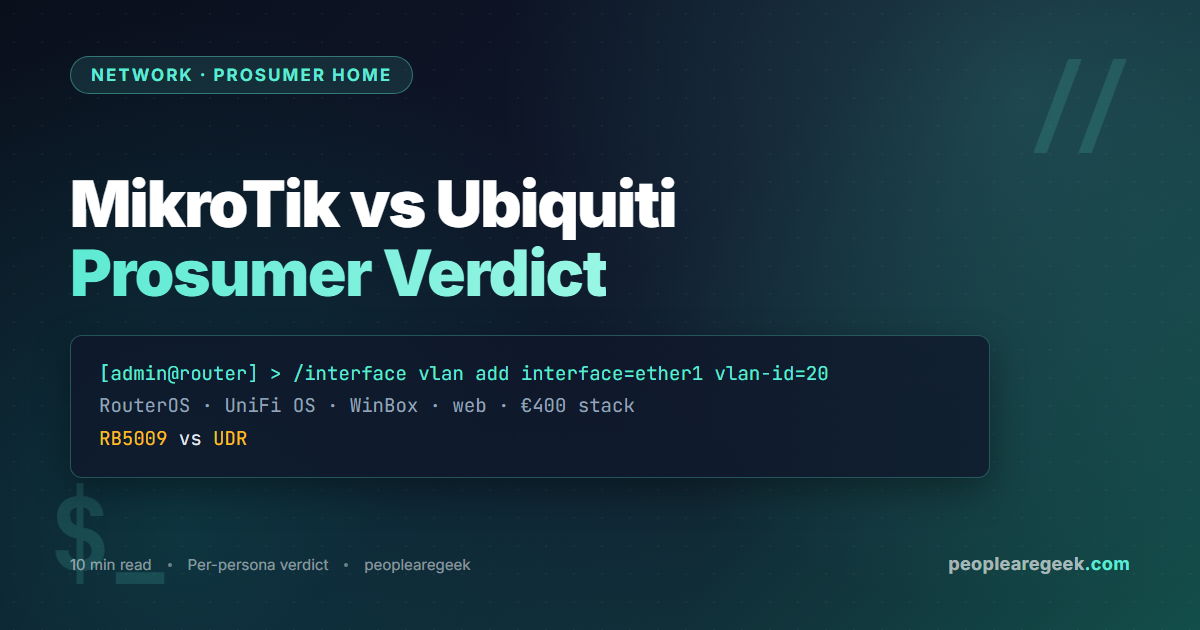
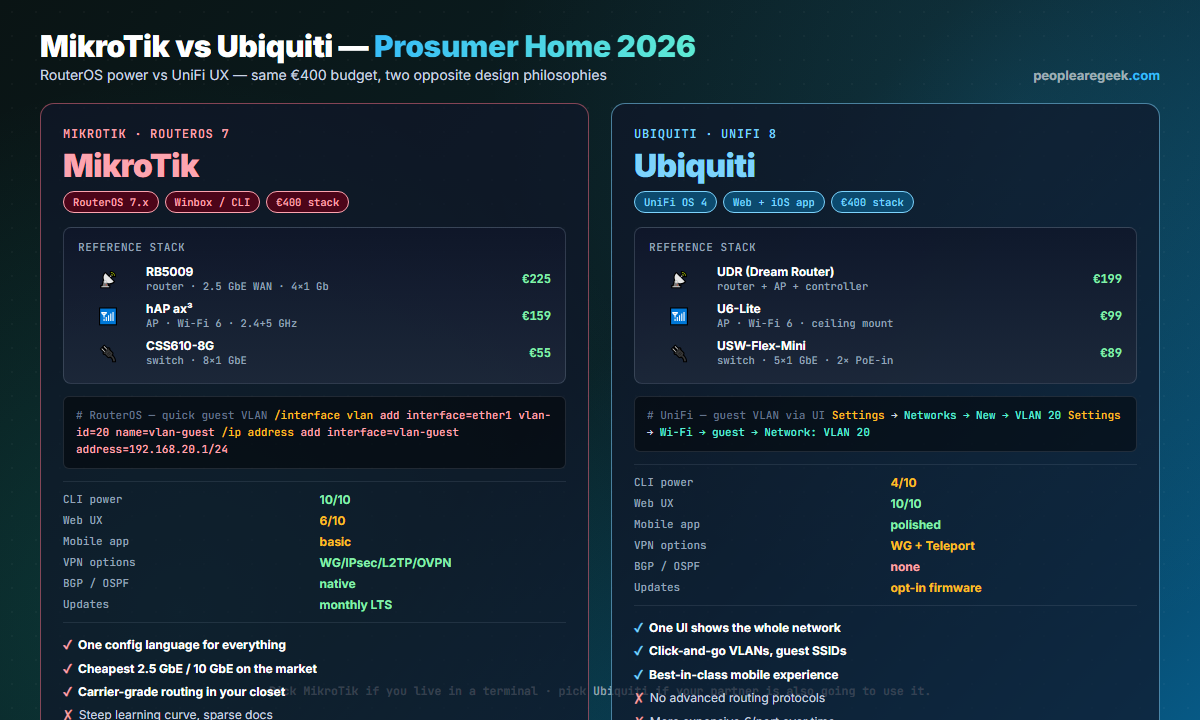
Both vendors aim at the prosumer who wants more than a Netgear consumer combo and less than enterprise Cisco. They get there from opposite ends. MikroTik sells you a carrier-class routing engine — RouterOS, BGP and OSPF on a €225 RB5009 — and trusts you to drive it via CLI or Winbox. Ubiquiti sells you a beautiful, opinionated UI — UniFi OS — running on hardware that looks at home on a bookshelf. Both can run the same household. The choice rests on how much time you want to spend in a terminal, whether you need real routing protocols, and how much your partner is going to use the UI.
Contents
Two design philosophies, one €400 envelope
MikroTik treats every device as a router first. The same RouterOS image runs on the smallest hAP mini AP and on the multi-thousand-euro CCR2216 carrier router. The configuration language, the menu tree, the firewall syntax are identical across the product range. You learn it once. Ubiquiti treats the network as a system. UniFi OS expects all devices to be adopted into one controller (cloud or on-prem). Each device’s configuration is invisible to you until you open the central UI. You configure the network once.
Head-to-head feature table
| Dimension | MikroTik RouterOS 7 | Ubiquiti UniFi 8 |
|---|---|---|
| Reference router | RB5009 (€225) | UDR Dream Router (€199) |
| Reference AP (Wi-Fi 6) | hAP ax³ (€159) or cAP ax (€99) | U6-Lite (€99) or U6-Pro (€169) |
| Reference 8-port switch | CSS610-8G (€55) | USW-Lite-8-PoE (€129) |
| OS image | RouterOS 7.x (one image for all) | UniFi OS per-device + Network app |
| Primary UI | WinBox (Win), WebFig, REST/SNMP | UniFi Web + iOS/Android |
| CLI | Full, scriptable, on every device | SSH on some, limited surface |
| BGP / OSPF | Built-in | Not supported |
| WireGuard | Native since 7.1 | Native since UniFi OS 3 |
| Site-to-site VPN UI | Manual config | One-click Teleport |
| Mobile app | WinBox light + basic stats | Polished, push notifications |
| Multi-site controller | None native (use CHR) | Cloud / self-hosted controller |
| Updates | Stable channel monthly | Opt-in firmware roll-out |
UI and management plane
The MikroTik experience in 2026 is best characterised as powerful but indifferent to discoverability. WinBox shows you a Windows-95-style tree of menus; WebFig mirrors them in a browser. Every option is exposed; nothing hand-holds you. The CLI is the source of truth and the most efficient interface — three keystrokes set a firewall rule that would take five clicks in WebFig.
Ubiquiti’s UniFi UI is the inverse. Dashboards animate, every screen has a “go deeper” link, and the topology map is genuinely useful for spotting which port a misbehaving guest is plugged into. The cost is a thinner surface — many advanced settings (deep packet QoS, layered VLAN tagging on the same port) either do not exist or live behind a fragile JSON override.
Routing features
This is where MikroTik wins outright. RouterOS ships BGP, OSPFv2/v3, RIP, IS-IS, MPLS, IPv6 transition mechanisms (6in4, 6to4, DS-Lite), VRRP, OpenVPN server, IPsec, EoIP tunnels, GRE. UniFi’s Network application supports static routes, basic policy-based routing, and as of 2026 a single OSPF area on the Cloud Gateway lineup — but no BGP, no MPLS, no carrier-grade transition mechanisms. If you ever need to run BGP against a Hurricane Electric tunnel for a /48 IPv6 prefix, MikroTik does it; Ubiquiti does not.
Wi-Fi roaming and coverage
UniFi is the easier daily-driver experience here. 802.11k/v/r are enabled by default in the controller; roaming between APs is seamless on iOS and modern Android. WPA3 is shipping, MAC RADIUS is one click, guest portals are templated.
MikroTik supports the same standards but with friction. CAPsMAN (their controller) does centralised AP management, but the configuration is denser. The hAP ax³ and cAP ax produce equivalent throughput to a U6-Pro in real-world tests; the gap is the management plane, not the radio.
VPN and remote access
Both ship WireGuard natively in 2026. UniFi adds Teleport, a magic-link click-to-join VPN that creates a per-user WireGuard tunnel without exposing public ports. It is genuinely impressive for non-technical family use. MikroTik leaves you to design the WireGuard topology — which can be richer, but takes longer to set up. See our WireGuard guide for the underlying patterns.
Cost over three years
| Year | MikroTik | Ubiquiti |
|---|---|---|
| Year 0 (initial build) | €439 (router + AP + switch) | €387 (UDR + U6-Lite + switch) |
| Year 1-3 firmware updates | Free | Free |
| Add second AP for coverage | €99 (cAP ax) | €99 (U6-Lite) |
| Add 10 GbE uplink | €135 (CRS305) | €279 (Pro Aggregation) |
| 3-year total mid build | €673 | €765 |
MikroTik’s edge widens as you scale. The 10 GbE point is the most telling — the same Aquantia switch chip costs you €135 in MikroTik land and €279 in UniFi land because of the firmware integration premium.
Verdict per persona
- Sysadmin daily-driver: MikroTik. CLI muscle memory, real routing, lowest €/port.
- Family of four, one shared Wi-Fi: Ubiquiti. The “spouse approval factor” is a real metric.
- Small office, 30 devices: Either. Pick on whoever in the team will own it.
- Multi-site freelancer: Ubiquiti — one cloud console, Teleport handles remote access.
- Tinkerer learning network engineering: MikroTik. The CLI is a transferable skill.
- Already on the other vendor and it works: Stay there. Both are good; the migration cost is not.
FAQ
Is RouterOS really that hard to learn?
Steep, not hard. The menu tree and CLI grammar are consistent enough that once you have configured a firewall rule and a VLAN, you can configure almost anything else by analogy. Budget ten focused hours on YouTube + the wiki to reach competence; thirty hours to feel native.
Can I run UniFi APs with a MikroTik router?
Yes, very common. UniFi APs only require the controller (cloud or self-hosted) to manage them; the network layer underneath can be anything. Many homelabs combine a MikroTik RB5009 (routing, firewall, VLANs) with U6-Lite APs (Wi-Fi) for the best of both UIs.
Does Ubiquiti spy on me?
By default, the cloud controller phones home for telemetry and updates. You can run a fully self-hosted controller (UniFi Network on Docker or on a CloudKey appliance) and disable the cloud connection. Audit the cloud calls before you decide.
What about MikroTik security history?
MikroTik has had high-profile CVE-2018-14847 (WinBox exploit) and several since. The mitigation is unchanged: update RouterOS monthly, disable WinBox / API services on the WAN, keep SSH key-only. Treat the router exactly as you would any other Linux box on the public Internet.
Which has better 10 GbE story?
MikroTik. The CRS305 (4× SFP+) lands at €135, CRS309 at €199, CCR2004 router at €450. UniFi’s equivalent (Pro Aggregation switch) is €279 and the 10 GbE-capable routers (UDM-SE, UXG-Pro) sit at €499 and up. If 10 GbE is in your plan, MikroTik’s pricing makes the decision.
Can I mix both vendors?
Yes and it is a popular mix. MikroTik for routing and switching (where the CLI shines), UniFi for the Wi-Fi mesh (where the UI shines). You manage two control planes but each is doing what it is best at.
Built the network? Now lock it down.
Pair this comparison with our DNS over HTTPS implementation guide — sysadmin-grade encrypted resolution for every device on the LAN.


