SysadminNews

Asahi Linux Is Close to an M3 Release, GPU Still Out

On this page
  1. What now works on M3
  2. The two qualifiers
  3. Why mainline is slower than the work
  4. Where M4 and M5 stand
  5. Our read
  6. Sources and further reading

Asahi Linux published a progress report on Wednesday August 26, 2026 saying it is close enough to cut an official release with Apple M3 support. The list of what now works is longer than most people following the project would guess: webcams across the M3 lineup, microphones, USB 3.0, Thunderbolt, hardware accelerated decode for H.264, H.265, VP9 and AV1, and display support nearly on par with M1 and M2. The two qualifiers matter as much as the list. This is downstream code rather than mainline Linux, so an ordinary distribution kernel will not give you these machines. And the GPU is not part of it. If you are deciding whether to put Linux on an M3 Mac, that second point is the whole decision.

The short answer

Asahi Linux reported on August 26, 2026 that it is close to an official release carrying Apple M3 support. Webcams work across the M3 lineup, microphones work, USB 3.0 and Thunderbolt work, hardware video decode covers H.264, H.265, VP9 and AV1, and display support is nearly at M1 and M2 parity. This is downstream code, not mainline Linux. The GPU is still absent, and CPU power management needs PSCI compliance through UEFI runtime services before it can go upstream.

Aug 26the progress report saying a release is close
4 codecshardware decoded: H.264, H.265, VP9, AV1
No GPUstill the missing piece on M3
Answer card summarising Asahi Linux M3 progress: an official release with Apple M3 support is close, running on downstream code rather than mainline Linux, with webcams, microphones, USB 3.0, Thunderbolt and hardware video decode working, display support nearly at M1 and M2 parity, and GPU support still outstanding.
Asahi Linux on M3, the short version. PNG

The interesting thing about the Asahi progress reports is how mundane the wins have become. Webcam. Microphone. USB 3. These are the last ten percent, and the last ten percent is where a hardware port stops being a demo.

What now works on M3

The August 26 report describes M3 support as close enough to an official release, and the supporting list is substantial.

Webcams work across the M3 series Macs that have one, with the M3 Max needing a small driver tweak of its own. Microphones work, which took more effort than it sounds because Apple changed the audio hardware for this generation and the M1 and M2 drivers did not simply carry over. USB 3.0 and Thunderbolt are functional. Hardware accelerated video decode covers H.264, H.265, VP9 and AV1. Display support is described as nearly on par with M1 and M2 systems.

Checklist card of Apple M3 hardware support in Asahi Linux: webcams working across the lineup after an M3 Max driver tweak, microphones working after fresh audio reverse engineering, USB 3.0 and Thunderbolt working, hardware decode for H.264 H.265 VP9 and AV1, display nearly at M1 and M2 parity, and GPU support plus mainline power management still outstanding.
Where M3 support stands, feature by feature. PNG

Read that list next to what a laptop actually needs and the gap is narrow. Video call hardware, ports, screen, playback. For a machine used as a development box, most of the daily surface is covered.

The two qualifiers

Then there is the GPU, which is not in the list.

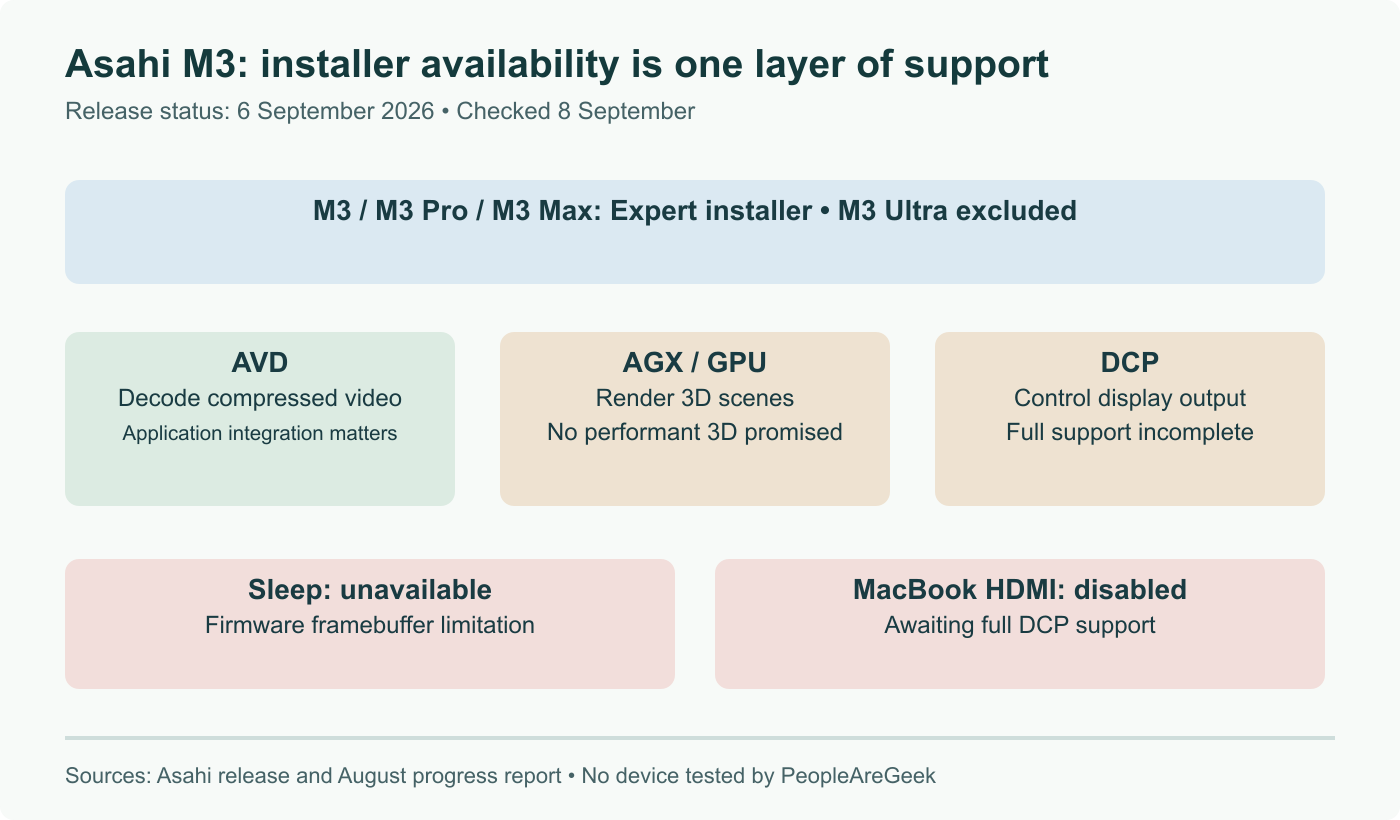
Without a GPU driver, rendering happens on the CPU. A terminal and an editor are fine. A modern desktop compositing at high resolution is not fine, and it is not fine in the specific way that costs battery on a machine whose main selling point is battery. Hardware video decode softens this more than you would expect, since playback is the workload most people assumed would be worst, but anything involving 3D or GPU compute is simply unavailable.

The second qualifier is that this is downstream code. The release being discussed carries the project's own patches, not what you get from a stock distribution kernel. Running an ordinary Fedora or Debian kernel on an M3 Mac does not give you any of the above.

Why mainline is slower than the work

The power management story is the clearest illustration of why downstream and mainline are so far apart.

Asahi handles CPU power management with an Apple specific Linux driver. Mainline ARM64 does not want that; it expects power management to arrive through PSCI, the Power State Coordination Interface, which is the standard the rest of the ARM64 world implements. Deep wait for interrupt support currently exists only in the downstream tree for this reason.

The path forward is implementing PSCI compliance through UEFI runtime services, so the kernel sees a standard interface while Apple's actual mechanism sits behind it. That is more work than shipping the driver, and it is the right call, because the alternative is a permanent Apple shaped exception in a subsystem every ARM64 machine depends on.

This is the normal rhythm of the project. Prove it downstream, then rework it into something the kernel community will take. The second step is routinely longer than the first, which is why the mainline picture always trails the progress reports. Mainline has been moving in parallel, including the M3 Pro, Max and Ultra enablement that landed for Linux 7.3.

Where M4 and M5 stand

Much earlier. The report names NVMe storage enablement and PCIe improvements as current work, and describes the bring up as incomplete with further challenges ahead.

That is worth taking at face value. Each generation has needed a long run to reach the point M3 has now reached, and the GPU has trailed the rest every time. Buying an M4 or M5 Mac today because Linux will run on it eventually is a bet on a timeline nobody has offered.

Our read

If you have an M3 Mac sitting unused and want a Linux box out of it, this is close to the moment that becomes reasonable, with the GPU caveat understood rather than skimmed. Wait for the actual release announcement instead of installing from branches, unless following the project is the point.

If you are choosing hardware for Linux, none of this makes an Apple laptop the sensible answer. The achievement here is that a small team reverse engineered an undocumented platform to the level of working webcams and Thunderbolt, which is remarkable. It is not the same as the machine being supported. For cross platform work in the other direction, we looked at running macOS binaries on Linux ARM64 earlier this year.

Sources and further reading

Frequently asked questions

Can I install Asahi Linux on an M3 Mac today?

You can run it, but the official release is not out yet and what exists is downstream code. The August progress report says the project is close enough to an official release for M3, which is a different statement from the release having happened. In practice that means installing today involves tracking the project's own branches rather than a supported installer path, and living with whatever is mid change on any given week. If your interest is curiosity or contribution, that is a reasonable place to be. If you need the machine to work on Monday, wait for the release announcement, because the difference between a near release and a release is precisely the polish that makes an installer safe for people who are not reading commit logs.

What does no GPU support actually mean day to day?

It means rendering falls back to software, which is workable for a terminal and a text editor and painful for anything else. A desktop session composites, scrolls and redraws, and doing all of that on the CPU costs both responsiveness and battery on a machine bought largely for its efficiency. Video is the interesting exception: hardware accelerated decode for H.264, H.265, VP9 and AV1 does work, so playback is not the disaster you might expect from the absence of a GPU driver. But anything involving 3D, GPU compute, or a compositor doing real work is out. Reverse engineering an undocumented GPU is among the hardest parts of this project, and it has consistently been the last piece to land for each generation.

Why is this downstream instead of in the mainline kernel?

Because mainline has standards that Apple hardware does not meet without work. The clearest example is CPU power management. Asahi uses an Apple specific Linux driver for it, while mainline ARM64 expects power management to go through PSCI, the standard Power State Coordination Interface. Bridging that gap means implementing PSCI compliance through UEFI runtime services rather than shipping the bespoke driver upstream. Deep wait for interrupt support currently exists only downstream for the same category of reason. This is normal for the project and not a sign of trouble: features are proven downstream, then reworked into a shape the kernel community will accept, and the second step routinely takes longer than the first.

Which M3 machines does this cover?

The report describes the work as spanning the M3 lineup rather than a single model, with webcam support working across M3 series Macs that have a built in camera. The M3 Max needed a small driver tweak of its own before its webcam worked, which is a good illustration of how this goes: Apple varies details between chips in a family, so each variant needs checking rather than assuming the base model result carries over. Audio was a broader problem, because Apple changed the audio hardware for the M3 generation and that meant fresh reverse engineering rather than adapting the M1 and M2 drivers.

What about M4 and M5 Macs?

Considerably earlier, and the report is candid about it. Work on M4 and M5 is under way, with NVMe storage enablement and PCIe improvements named as current areas, but the bring up is described as incomplete with more challenges ahead. The pattern across this project has been consistent: each new generation takes a long time to reach the point M3 has just reached, and the GPU follows well behind the rest. Anyone buying an M4 or M5 Mac with the intention of running Linux on it should treat that as a plan for a later year, not a plan for this one.