AMD’s September 1 patch series aims to avoid the brief blank screen when some HDMI monitors enter or leave VRR. It keeps the signalling state active on compatible outputs, even while the desktop refresh cadence stays fixed.
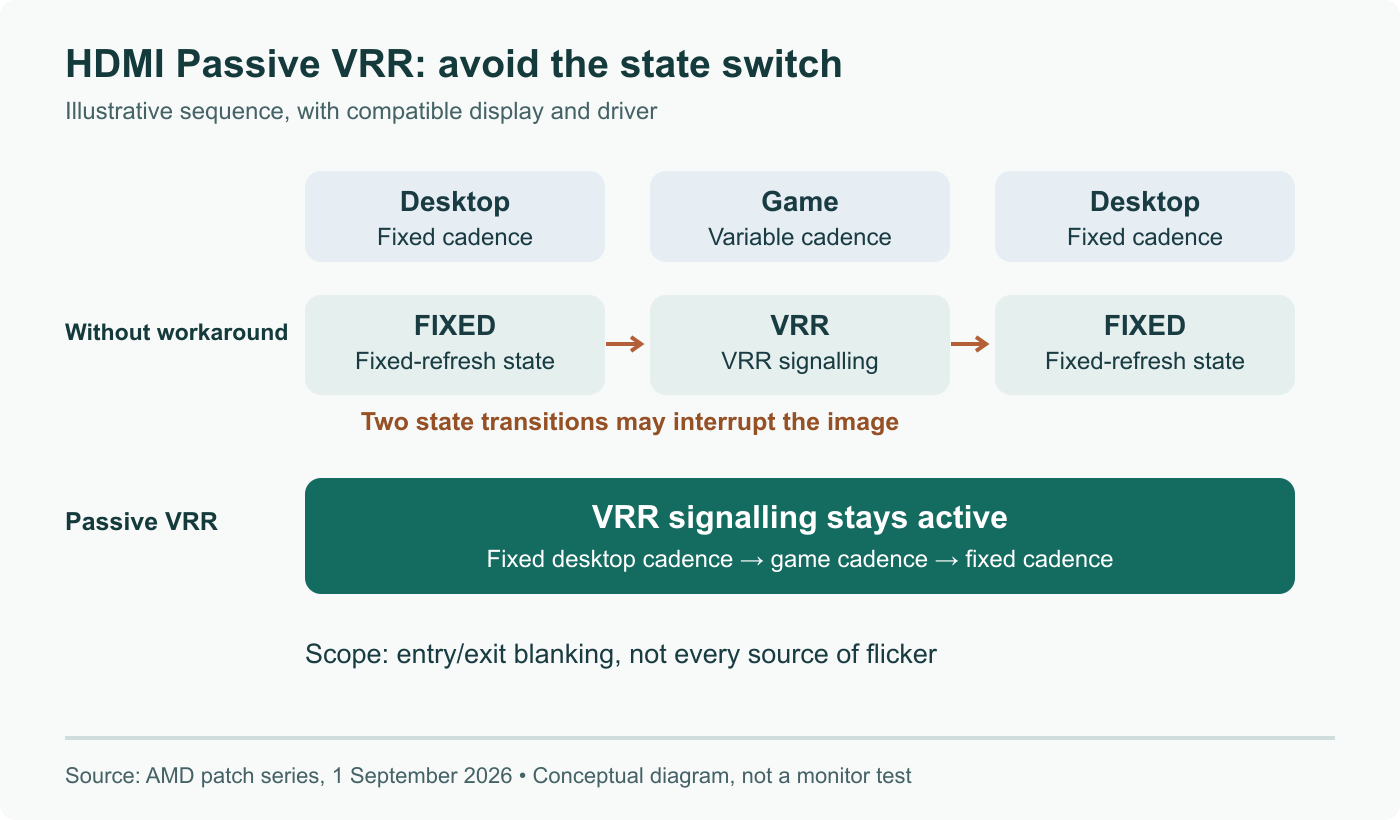
A transition workaround, not a higher frame rate
Imagine a desktop, a fullscreen game, then a return to the desktop. Without this workaround, an HDMI monitor may switch its VRR state at both boundaries. Passive VRR removes those state changes by retaining VRR signalling during fixed-refresh use. The illustration separates the application’s frame cadence from the state advertised to the display: they are different things.
The three-patch submission was posted by AMD’s Fangzhi Zuo, also known as Jerry Zuo, on September 1. It incorporates work by Tomasz Pakuła. The stated problem is blanking or brightness flicker at VRR entry and exit on HDMI sinks without seamless transitions. It does not establish a remedy for every kind of monitor flicker, a faster GPU, or improved game frame times.
Two properties make the default conditional
The DRM interface patch distinguishes capability from policy:
| Property | Role in the proposal |
|---|---|
passive_vrr_capable | Connector advertises whether this behaviour is supported |
PASSIVE_VRR_DISABLED | CRTC property lets userspace opt out |
Default-on therefore does not mean every Radeon output is forced into this mode. An unsupported connector does not become compatible through the policy setting. Nor is a DRM property necessarily a checkbox already available in your desktop settings.
What would make a useful test?
Use the same monitor, cable, refresh setting, compositor and game before and after a supported kernel update. Record whether the interruption occurs at game entry, exit, or continuously during play. Those observations distinguish a transition problem from another display fault. Keep a known-working kernel available when evaluating development code.
This article documents a submitted series. Its separation from the broader HDMI gaming work makes the change easier to examine, but does not guarantee acceptance or a Linux 7.4 release date. For a normal desktop installation, wait for your distribution’s release notes to identify the landed change. The absence of a visible flash is the intended result; we have not measured that result on physical monitors.
Sources
Rechecked against the submitted patches; clarified hardware eligibility, proposed status and the limits of the flicker workaround.