The Dell Latitude 7320 Detachable shipped in 2021 with an Intel Tiger Lake chip and a 5 megapixel front camera that has never worked on Linux. Patches posted to the linux-media list this week fix it, and the reason it took five years is the interesting part: the sensor is marked OV5678, a part with no public Linux documentation, and nobody had checked whether it was actually something else. Sahan Nissanka did, found it reports the chip id of an OV5675, and wrote three small patches around that discovery. We walked through the method, because it generalises to other IPU6 laptops.
The short answer
The Dell Latitude 7320 Detachable, an Intel Tiger Lake machine from 2021, has had a non functional front camera on Linux since launch, because its sensor is marked OV5678 and no Linux documentation exists for that part. Sahan Nissanka read the chip identification register and found it reports 0x005675, the id of the already supported OV5675. The ACPI SSDB confirmed the electrical match: two CSI-2 data lanes and a 19.2 MHz external clock. Three patches on the linux-media list add TPS68470 board data, the sensor id, and ipu-bridge configuration. The 5 megapixel front camera now works. Colour is still inaccurate pending RGB-IR support in V4L2, and the rear camera remains unsupported.
There is a particular kind of open source bug where the hard part was never technical. This one sat unfixed for five years because everybody believed the label on the part.
The five year assumption
The Latitude 7320 Detachable arrived in 2021 with an 11th generation Tiger Lake processor and a 5 megapixel front camera at 2592 by 1944. On Windows it worked. On Linux it produced nothing, and it has produced nothing ever since. Requests for support go back to 2022, and the issue tracker for Intel's IPU6 drivers has carried an open item titled simply as a request to add support for the OV5678 sensor.
The reasoning behind the stall was sound, which is what makes it instructive. The sensor is marked OV5678. There is no public Linux driver documentation for an OV5678. Writing a sensor driver from nothing, for an undocumented part, is real work that nobody volunteered for. So the bug stayed open.
What nobody did was ask whether the OV5678 was a distinct sensor at all.
Reading the part instead of the label
Sahan Nissanka, working on this independently, checked. Sensors announce themselves: there is a chip identification register, and on this family it lives at address 0x300a. The part on the Latitude 7320 reports 0x005675.
That is the OV5675. Linux has had a driver for the OV5675 for years, sitting in the tree the whole time.
A matching chip id is suggestive rather than conclusive, because a driver also has to get the electrical configuration right. Two parameters matter most: how many CSI-2 data lanes connect the sensor to the image processing unit, and what external clock frequency the sensor runs at. Get either wrong and you get a black frame or a corrupted one.
Both were available without touching the hardware. The machine's ACPI tables carry an SSDB buffer describing the sensor connection, and reading it before the sensor was ever powered gave two CSI-2 data lanes and a 19.2 MHz external clock. Those are exactly the values the existing ov5675 driver expects.
What the patches change
The series is three patches and none of them is a new driver, which is the point.
The first adds board data for the TPS68470, the power management IC that supplies the sensor's rails and its clock. This is the piece that has to be right first, because a sensor that is not powered and clocked correctly cannot respond to anything.
The second adds the sensor identifier to the existing ov5675 driver, so it binds to a part shipping under a different name.
The third configures ipu-bridge, the kernel component that constructs the software media links between the ACPI described camera and the Intel IPU6 image processing unit.
Together those wire up an existing driver to hardware it was always capable of driving.
Two things still missing
The user facing camera works now. Two caveats belong next to that sentence.
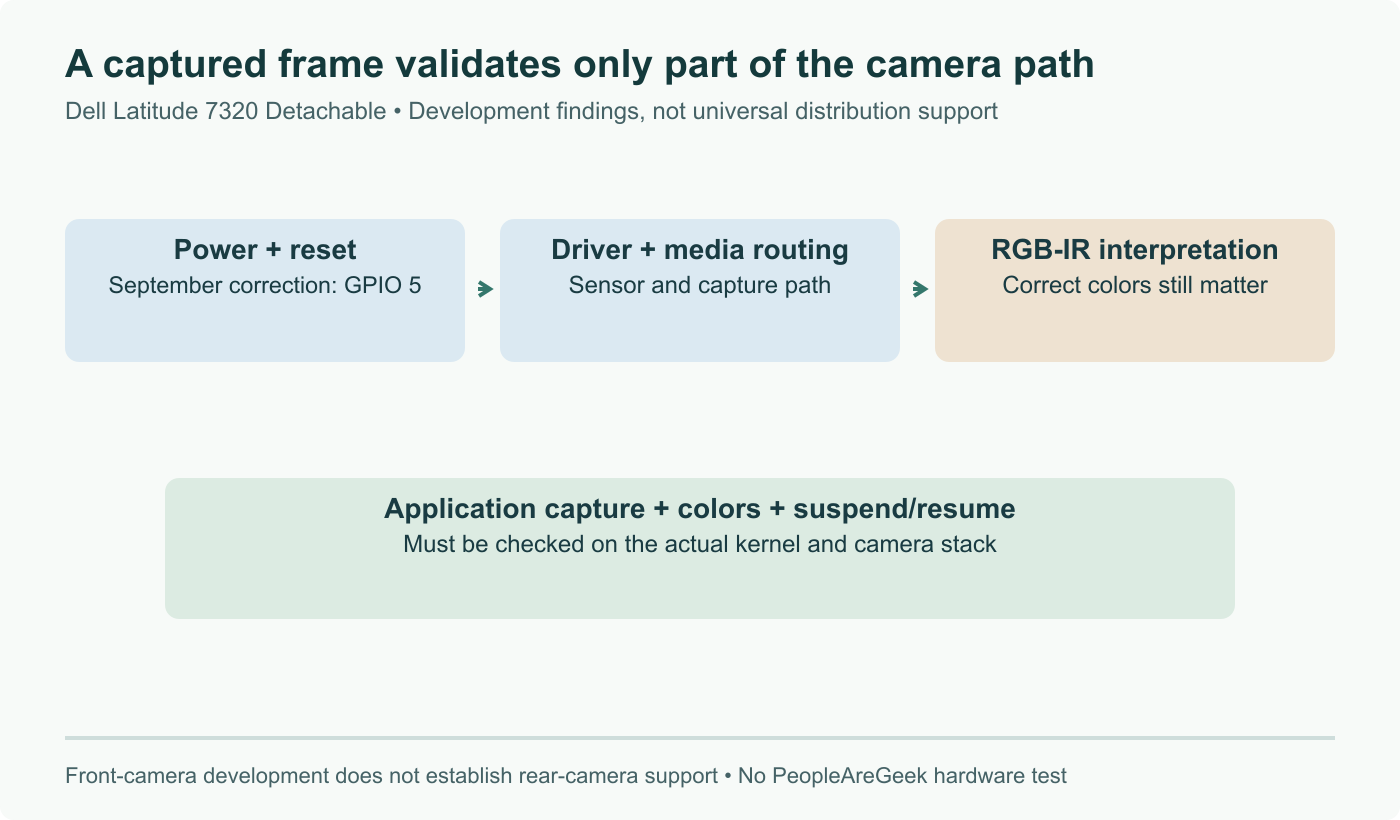
Colour is not right. The sensor uses an RGB-IR colour filter array, dedicating some pixels to infrared instead of to visible colour. Handling that properly needs V4L2 to support the relevant RGB-IR media bus codes, and until it does, colour reproduction will be off. For a video call this is a usable image. For anything where colour matters, it is not.
The rear camera is still dark. Enabling it depends on working out its GPIO configuration, which is a separate problem that this series does not touch.
The method is the transferable part
If you maintain a fleet of IPU6 era laptops with dead cameras, or you have one machine that annoys you, the approach here is worth copying because it costs almost nothing to attempt.
Start from the ACPI tables rather than the part number on the spec sheet. Dump them, find the camera device, and read its SSDB buffer for the CSI-2 lane count and the external clock frequency. Those are the values a sensor driver is most sensitive to, and you can get them without powering the sensor or writing a line of driver code.
Then read the chip identification register and compare what comes back against the drivers already sitting in drivers/media/i2c. Sensor vendors relabel and rebin parts as a matter of routine. A part number with no Linux documentation tells you that nobody wrote documentation for that name, and nothing more than that.
Five years of a dead camera, closed by reading a register and comparing the answer to a driver that was already in the tree. It is worth checking the assumption before accepting the work.
Sources and further reading
- Dell Latitude 7320 2-in-1 Seeing Web Camera Support On Linux After Five Years, Phoronix, August 9, 2026
- Add support for OV5678 sensor, intel/ipu6-drivers issue 24 on GitHub
- TPS68470 missing board-data for MSI Prestige 14 AI+ Evo, intel/ipu6-drivers issue 414 on GitHub
- PATCH v4 0/3 TPS68470 PMIC drivers, Linux kernel mailing list
- Working OV5670 front-camera support on the Dell Latitude 5290 2-in-1 under Linux
Frequently asked questions
What was actually wrong, if the hardware was fine?
Nothing was wrong with the hardware. The problem was an identification gap. The Latitude 7320 Detachable carries a sensor labelled OV5678, and no public Linux driver documentation exists for that part number, so the assumption for five years was that supporting it meant reverse engineering an undocumented sensor. That assumption was never tested. Sahan Nissanka read the chip identification register at address 0x300a and found the part reports 0x005675, which is the identifier for the OV5675, a sensor Linux has had a driver for all along. The two remaining questions were whether the electrical configuration matched what the existing driver expects, and the ACPI tables answered that too: two CSI-2 data lanes and a 19.2 MHz external clock, both read out of the machine's SSDB before the sensor was ever powered on, and both agreeing with what ov5675.c assumes.
What do the three patches actually do?
They are small, and each one closes a different gap in the chain between the sensor and userspace. The first adds board data for the TPS68470 power management IC, which is the chip that supplies the sensor's rails and its clock. Without correct board data the sensor never gets powered or clocked properly, so nothing downstream can work regardless of driver support. The second adds the sensor identifier to the existing ov5675 driver so that the driver binds to a part that announces itself under a different marketing name. The third configures ipu-bridge, the kernel component that builds the software links between the ACPI described camera and the Intel IPU6 image processing unit, so the pipeline is wired up correctly. None of these is a new driver. All three are plumbing around a driver that already existed.
Does the camera work perfectly now?
The user facing camera works, and that is a genuine change from not working at all, but there are two caveats worth knowing before you get excited. The first is colour. The sensor uses an RGB-IR colour filter array, meaning some pixels are dedicated to infrared rather than to red, green or blue. Handling that correctly requires V4L2 to support the appropriate RGB-IR media bus codes, and until it does, colour reproduction will be inaccurate. The image is usable for a video call; it is not colour correct. The second caveat is that this covers the front camera only. The rear facing camera on the detachable remains unsupported, pending work on its GPIO configuration, which is a separate problem from the one that was just solved.
How would I check whether my own laptop has the same situation?
The method generalises and it costs nothing to try. Start from the ACPI tables rather than from the marketing name, because the marketing name is exactly what misled everyone here. Dump your ACPI tables and look for the sensor device and its SSDB buffer, which carries the electrical parameters: the number of CSI-2 data lanes and the external clock frequency. Those two values are what a sensor driver is most sensitive to, and you can read them without powering anything. Then compare the reported chip identification against the drivers already in drivers/media/i2c. Sensor vendors relabel and rebin parts routinely, and a part number with no Linux documentation is not proof of a new sensor, only proof that nobody checked. That is the whole lesson of this patch series.
Why does Intel IPU6 make Linux cameras so difficult in general?
Because IPU6 splits the work in a way that assumes a userspace stack Linux did not have for a long time. On older designs a UVC webcam presented itself as a straightforward USB video device and the kernel handed userspace a finished image. IPU6 laptops instead expose a raw sensor connected over CSI-2 to an image processing unit, and the conversion from raw sensor output to a usable picture happens partly in firmware and partly in userspace. That means a working camera needs several pieces aligned at once: a sensor driver, correct power management chip data, ACPI description of the connection, ipu-bridge to build the links, the IPU6 driver stack itself, and a userspace consumer that understands the pipeline. Any single missing piece produces the same symptom, a black image, which is why these bugs are slow to diagnose.