Reading every frame is only one part of importing an animation. Frame durations, loop handling and alpha determine whether the result still behaves like the source.
Input support and output support are separate
The 9.0 changelog adds an animated WebP decoder and demuxer, APV Vulkan acceleration and other changes. It removes standalone CELT support without removing Opus. The download page now lists maintenance release 9.0.1, dated August 12.
The previous claim that FFmpeg has no animated WebP encoder or muxer was incorrect: the 9.0 source contains libwebp_anim and a WebP muxer. Availability in a particular binary depends on its build configuration.
Three frames can have unequal durations
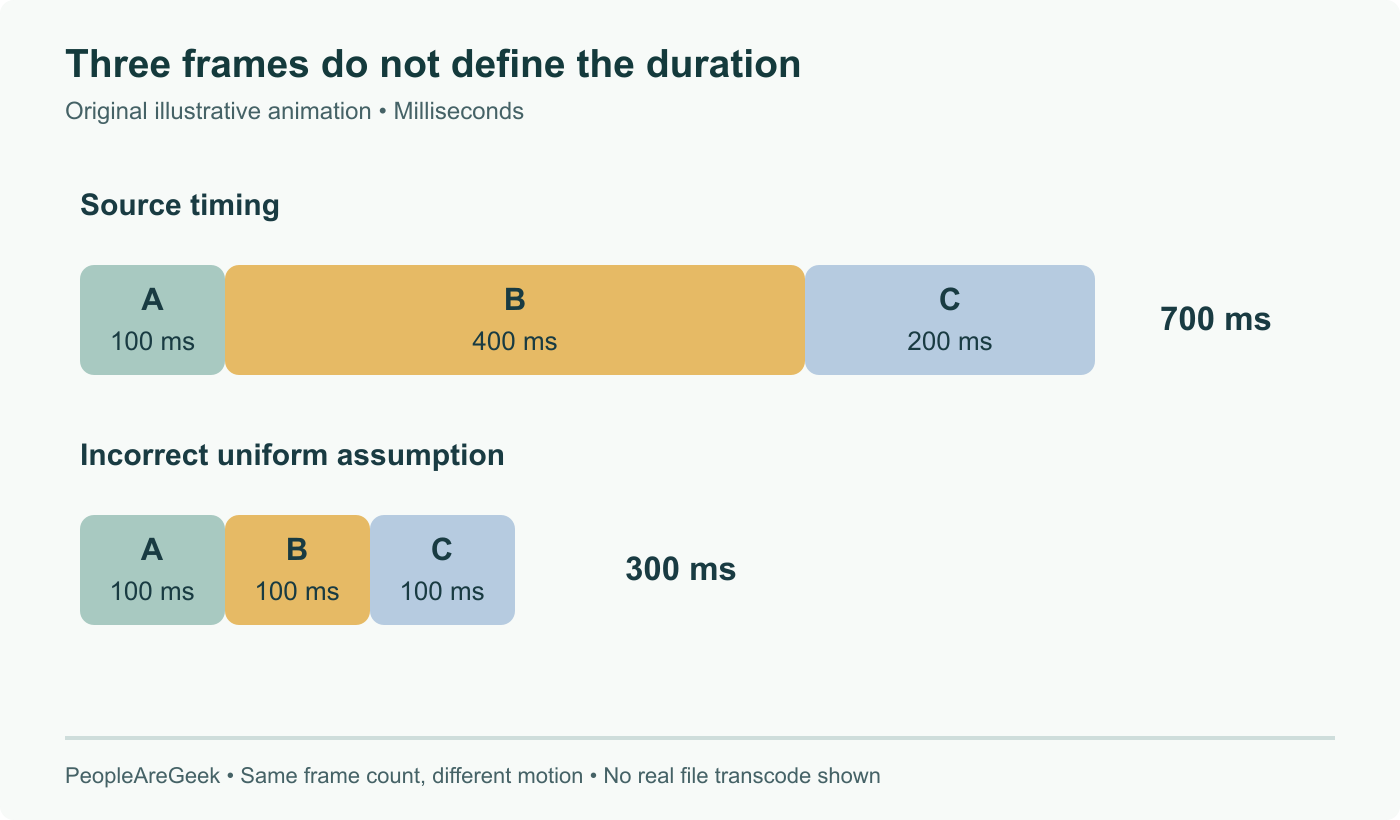
Our illustration uses an invented animation: frame A lasts 100 ms, B lasts 400 ms and C lasts 200 ms. Its one-pass duration is 700 ms. Exporting those three frames with an assumed uniform 100 ms duration would produce 300 ms and alter the motion even though no image is missing.
The WebP demuxer documentation describes delay limits, a fallback delay, loop handling and the optional background-colour hint. In particular, input looping is ignored by default. Read those options when the intended output is one pass versus repeated playback.
A practical conversion review
Compare the first, middle and last displayed states on a suitable background. A transparent edge can look correct against black and wrong against the page where the asset will be used. Check that the destination codec and pixel format can represent the required alpha instead of assuming an MP4 conversion preserves it.
Then compare elapsed duration and the intended loop count. For an intentionally constant-frame-rate destination, state the resampling policy; duplicated or dropped frames may be a chosen conversion rather than a decoding failure.
Finally, keep the exact binary version, enabled components and command line with the sample. “FFmpeg 9 supports it” describes upstream capability. A reproducible result needs the installed build and a representative asset. We have inspected the source and documentation here, not measured a transcode on a production pipeline.
September 8: verify 9.0 features and 9.0.1 maintenance; correct the false absence of WebP encoding/muxing and explain timing, looping and alpha validation.