Removing the visible Gemini mark changes presentation. It does not turn the export into evidence of a real photograph, and an unsuccessful AI check does not establish that a file is authentic.
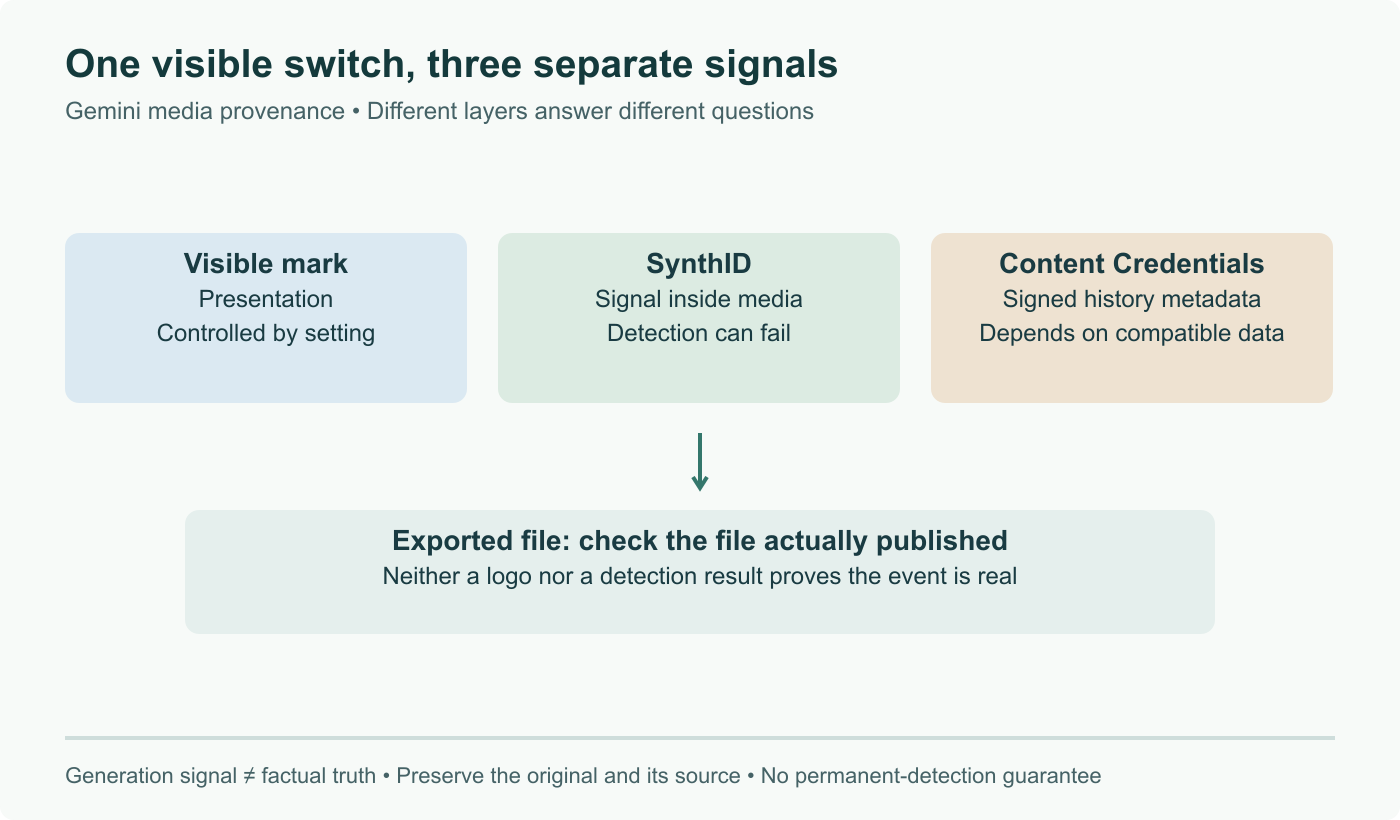
What the setting controls
Google's watermark setting help describes a switch for the visible mark on newly generated media in Gemini Apps. It does not propagate to other Google products. Work and school accounts are excluded; in India, South Korea and Vietnam the option requires Google AI Ultra. For music, the visible mark belongs to its visual presentation, not an audible jingle.
Google says invisible SynthID signals and Content Credentials remain part of generation even when the visible mark is disabled. The cover distinguishes these three layers rather than presenting a single on/off state for provenance.
Read a detection result carefully
The verification help explains that edits can make SynthID undetectable and that compatible credentials provide origin and editing information. A negative result is not proof of a camera original. Positive identification also does not establish that the depicted event happened: an AI-edited photograph and a wholly generated scene can both contain a signal.
Imagine a picture of a flooded street. A creator could add an object to a real photograph, generate the whole scene, or share a camera image with an inaccurate location. The questions “was AI involved?” and “is this a truthful account of this event?” have different answers. A provenance check helps with the first; it cannot settle the second alone.
Keep the original and the publication context
For an editorial workflow, retain the received original, its source page and the explanation of how it was created. Compare the actual exported file with that original. A screenshot is a new file, not a container preserving all the original metadata. Re-encoding also makes permanent survival of every signal an unsafe assumption.
Ask the verification question on one clearly identified asset, record which file was checked, and distinguish “detected”, “not detected” and “could not verify”. If a caption claims a place and date, corroborate those separately with the publisher or event records. Our earlier article overstated permanent traceability and made a blanket statement about visible-label obligations. Those claims are removed; this product setting is not a universal rule for disclosure or a guarantee of authenticity.
Separate visible watermark settings, embedded SynthID and provenance metadata; remove permanent-trace and universal legal claims.