Incus 7.4 reduces the amount of container data left to transfer during a move. It does not preserve running processes: the destination starts the container again. That distinction matters more to a maintenance window than the label near-live.
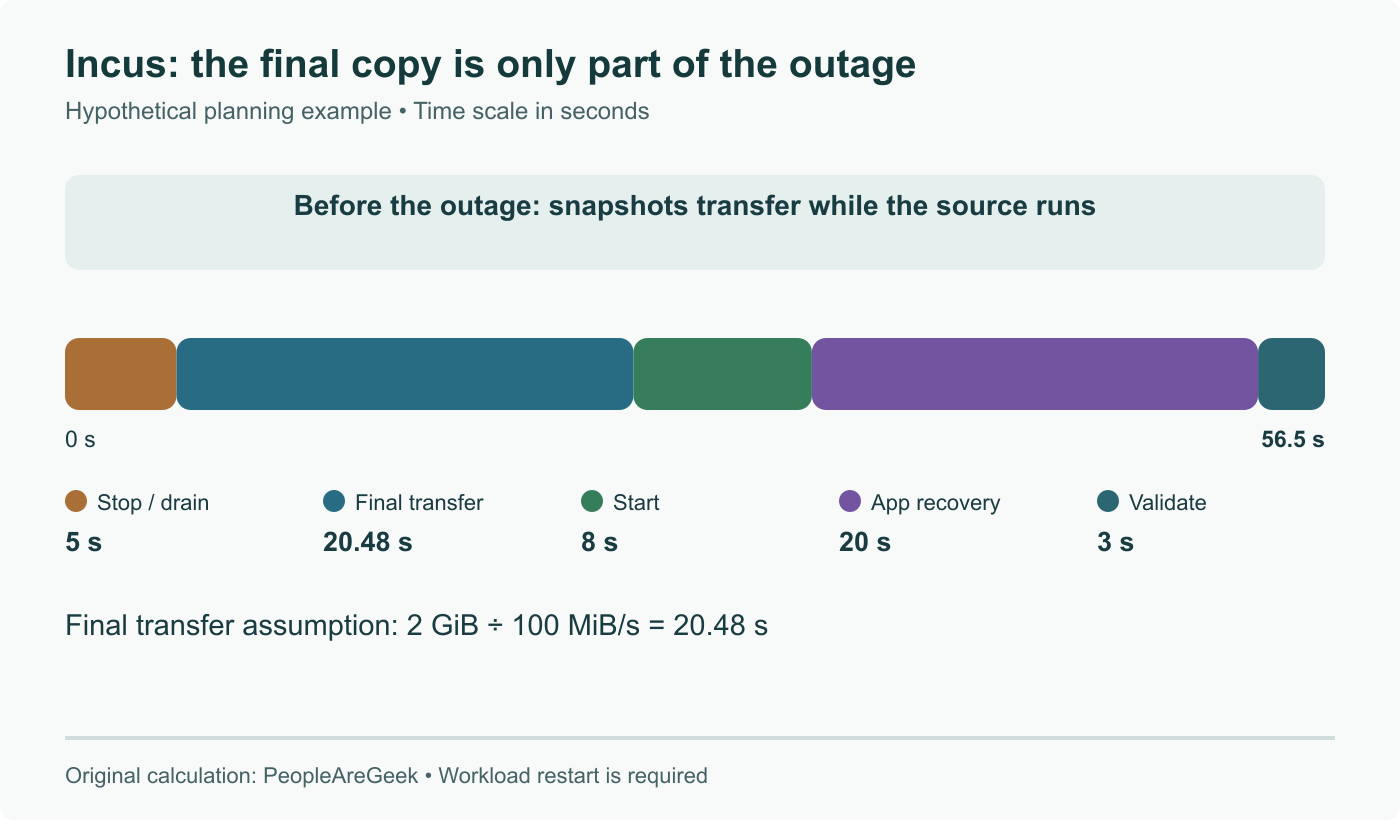
The storage moves; process memory does not
The 28 August release announcement introduces successive filesystem snapshots while the source runs, followed by a stopped final transfer and a destination restart. This path supports containers on local ZFS or Btrfs, rather than arbitrary storage drivers or VM memory migration.
The migration guide describes moving instances between servers. For this new mode the release demonstrates incus move with both --stateless and --refresh; cluster evacuation can select refresh-migrate. The stateless flag is consequential: an in-memory queue or an open client connection should not be expected to survive.
Budget for the application, not just the final copy
A useful planning model is:
Unavailable time ≈ stop/drain + final transfer + container start + application recovery + health validation.
For an explicitly hypothetical example, 2 GiB left to copy at an effective 100 MiB/s takes about 20.5 seconds for that transfer alone. Add 5 seconds to drain, 8 to start, 20 for database recovery and 3 for health validation: the planning total becomes about 56.5 seconds. These are illustrative inputs, not an Incus benchmark or an upper bound. Heavy writes can enlarge the last delta; startup checks can dominate even when the delta is tiny.
Measure these phases on a disposable copy of your own service. Record the last successful external request and the first sustained successful response after restart, rather than calling the storage transfer duration the outage.
Check what lives outside the root filesystem
Inventory attached disks, host paths, devices, network addresses and secrets that come from the source host. A successful root-volume copy does not establish that an external database, mounted share or device is available at the destination. Test startup and client reconnection with the intended destination network.
Keep an independent recovery copy before a move and define which instance is authoritative after the cutover. Starting an old database copy after the new one has accepted writes is not a harmless rollback.
Two separate reasons to review the upgrade
Version 7.4 also fixes client path traversal during image export and restricted access to private images across projects. Consult the advisories for affected versions and patched branches; those fixes are separate from whether your storage can use near-live migration.
Sources
- Incus 7.4 announcement
- Moving instances between servers
- Image-export advisory
- Private-image advisory
Primary release and migration documentation reviewed; restart and application recovery added to downtime, with storage limits and security advisories clarified.