KDE has cut the delay before an auto-hide panel disappears from 500 milliseconds to 50 milliseconds, a change landing in Plasma 6.8. The weekly Plasma report published on Saturday, August 22, 2026 covers that alongside adaptive brightness that learns from your manual corrections, selectable authentication methods on the lock screen, and a System Settings search that finds pages by their English names even when the desktop runs in another language. Two KWin fixes are the quiet ones worth noting: display resolution settings can no longer be pushed low enough to break a session, and GPU reset notifications now fire for every GPU rather than only the primary one.
The short answer
The KDE weekly Plasma report of Saturday, August 22, 2026 confirms that the auto-hide panel delay falls from 500 milliseconds to 50 milliseconds in Plasma 6.8. Automatic brightness now learns from the manual corrections you make, the lock screen gains selectable authentication methods with a distinct interface for each, and System Settings search matches English keywords in any locale. KWin stops accepting display resolutions low enough to leave a session unusable, and now reports GPU resets on every GPU rather than the primary one only.
Half a second does not sound like a bug. It behaves like one, which is the more interesting category.
The panel delay, and why the number mattered
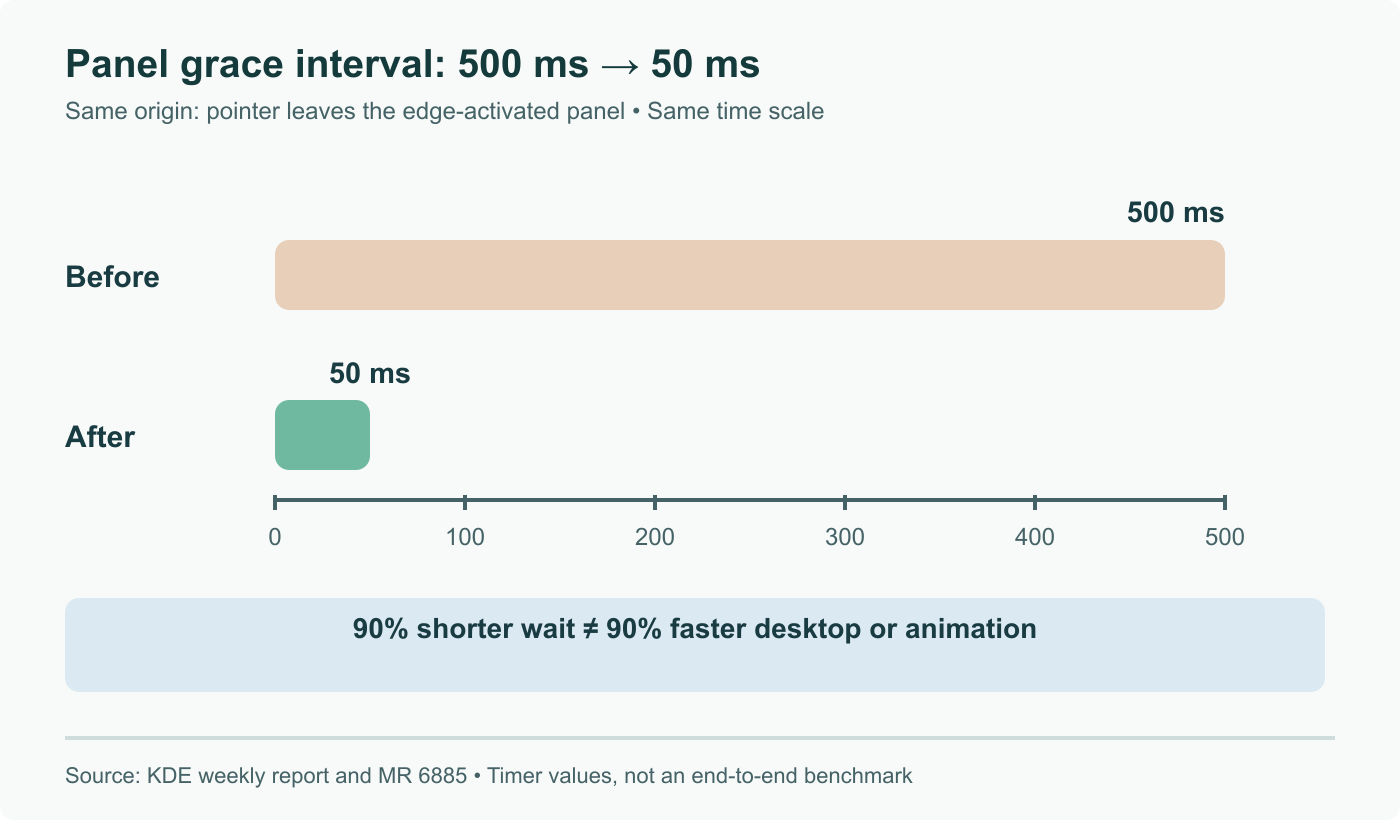
The old value was 500 milliseconds between the pointer leaving an auto-hide panel and the panel actually hiding. The new value is 50. Nothing about the animation or the compositor got faster; a constant changed.
That distinction is the point. Half a second is comfortably above the threshold where people perceive a pause, so the panel appeared to hang around after you had already moved the pointer elsewhere. The subjective reading of that is a slow desktop, which is a harsh verdict on a system that was doing exactly what it was told, on time. Fifty milliseconds falls under the threshold, and the panel reads as following the pointer instead.
Timing constants like this rarely get revisited because they never fail a test. Nothing crashes, no benchmark regresses, and the behaviour matches the specification. They only surface when somebody sits with the interface long enough to notice the feeling and then goes looking for the number responsible.
Brightness that stops arguing with you
Automatic brightness now responds more intelligently to manual changes. Instead of treating your correction as a one off override to be forgotten, the system reads it as information about the brightness you actually want in that lighting condition, and shifts its own behaviour accordingly.
Anyone who has used adaptive brightness on a laptop knows the failure it addresses. You sit in the same room every morning, the sensor picks the same wrong level every morning, and you make the same correction every morning. The algorithm was never wrong by much, only wrong consistently, and consistently wrong is what makes people disable a feature entirely.
Lock screen authentication, and two KWin guardrails
The lock screen work is the largest item in scope. When several authentication methods are available, you can now pick between them, and each one gets its own interface rather than sharing a single generic password prompt. The change reaches across three components, which explains why it did not arrive sooner. It is still marked experimental and the graphical setup tools are unfinished, so configuring it today means working below the surface.
The two KWin fixes are the kind that never make a headline and save a support ticket each.
Display resolution settings no longer accept values low enough to break a system. Setting a resolution so small that nothing on screen remains usable is a self inflicted problem, but recovering from it usually means editing configuration from a text console, which is not a step most users can take unaided.
GPU reset notifications now fire for all GPUs rather than only the primary one. On a laptop with integrated and discrete graphics, a reset on the secondary GPU previously passed in silence, leaving the user with a session that misbehaved and no indication of why. Getting told is not a fix, but it turns an unexplained oddity into something you can search for.
What we would take from this
Weekly development reports are worth skimming even when nothing in them sounds significant, because this is where constants get re-examined. The panel timing was not a defect anybody could file. It was a decision made once, correct enough to survive every review, and worse than the alternative for years afterwards.
The other thing worth noting is the branch spread. One report covers fixes for 6.6.7 and 6.7.5 alongside features for 6.8 and Frameworks 6.30. If you support Plasma desktops, reading a change without checking which branch it targets is how you promise a user something that arrives in six months rather than next week.
Sources and further reading
- This Week in Plasma: UI and Performance Improvements, KDE Blogs, August 22, 2026
- KDE Plasma 6.8 to Make Auto-Hide Panels 10x Faster, Linuxiac
- KDE Plasma 6.8 Update: Faster Panel Auto-Hide, Multilingual System Settings Search, and KWin Stability Improvements, Linux Compatible
Frequently asked questions
What exactly changed about panel auto-hide?
The delay between the pointer leaving a panel and the panel hiding itself dropped from 500 milliseconds to 50 milliseconds, a factor of ten. This is a perceptual change rather than a performance one. Half a second is long enough that the panel appears to linger after you have moved on, which reads as sluggishness even though nothing is slow. Fifty milliseconds sits below the threshold where most people notice a delay at all, so the panel simply follows the pointer. The change is queued for Plasma 6.8.
When does Plasma 6.8 arrive?
Plasma 6.8 is scheduled for October 14, 2026. The weekly reports describe work landing across several branches at once, so not everything mentioned in a given week ships in the same release. The August 22 report covers fixes going into the 6.6.7 and 6.7.5 point releases as well as features destined for 6.8, plus Frameworks 6.30. If a change matters to you, the branch it targets matters as much as the description.
How does the new adaptive brightness behave?
Automatic brightness now reacts more intelligently to manual corrections. Rather than treating a manual adjustment as a temporary override to be discarded, the system uses it as a signal about your preferred brightness in that lighting condition and adjusts its own future behaviour. The practical result is that a laptop stops fighting you: the correction you make in the same room every morning stops needing to be made every morning.
What is the lock screen authentication change?
When more than one authentication method is available, you can now choose between them on the lock screen, and each method gets a distinct interface rather than sharing one generic prompt. The work spans three separate components, which is why it took a while. It is still marked experimental and the graphical configuration tools are not finished, so setting it up currently means going below the surface.
Why does the System Settings search change matter on a multilingual team?
Because documentation and support answers are overwhelmingly written in English. A desktop running in French, German or Spanish previously indexed only the translated page names, so a colleague following an English language guide could not find the page it named. System Settings now matches both the English keyword and the localised one, which removes a small but constant translation step from every support conversation.