NetworkNews

Linux 7.3 ksmbd Learns to Take Time Machine Backups

On this page
  1. Why a working SMB share was not enough
  2. The part that deserves attention
  3. The rest of the release matters more for most people
  4. ksmbd or Samba
  5. What to do
  6. Sources and further reading

The in-kernel SMB3 server in Linux 7.3 gains opt-in support for Apple's AAPL protocol extensions, which is the piece that lets macOS Time Machine treat a ksmbd share as a valid backup destination. Contributed by Gael Blivet, the work covers Finder compatibility, stream handling, COPYCHUNK, sparse file support, CHANGE_NOTIFY and a set of RPC compatibility bits. None of these extensions are publicly documented, so they had to be reverse engineered from observed client and server behaviour. The same merge window brings per share SMB3 encryption, SMB2 command sequence windows, SMB3 request replay and a long list of fixes.

The short answer

Linux 7.3 adds opt-in support for Apple's AAPL SMB2 extensions to ksmbd, the in-kernel SMB3 server, which is what allows macOS Time Machine to use a ksmbd share as a backup destination through backupd. Gael Blivet contributed enough of the extension set to satisfy Time Machine: Finder compatibility, stream handling, COPYCHUNK, sparse file support, CHANGE_NOTIFY and RPC compatibility bits. The extensions are not publicly documented and were reverse engineered from client and server behaviour. The same release adds per share SMB3 encryption, SMB Direct encryption, SMB2 command sequence windows and SMB3 request replay.

Opt-inhow the Apple AAPL extension support ships
6 areasFinder, streams, COPYCHUNK, sparse, notify, RPC
Linux 7.3the release the ksmbd changes land in
Answer card summarising the Linux 7.3 ksmbd changes: opt-in Apple AAPL SMB2 extensions covering Finder compatibility, stream handling, COPYCHUNK, sparse files, CHANGE_NOTIFY and RPC compatibility bits, which together let macOS Time Machine back up to the in-kernel SMB3 server, plus per share SMB3 encryption and SMB3 request replay.
What landed in ksmbd for Linux 7.3. PNG

Pointing Time Machine at a Linux box has been a small, persistent annoyance for years. The share mounts, files copy, and then backupd declines to treat it as a backup destination. Linux 7.3 closes that gap for ksmbd, and the way it does so is more interesting than the feature itself.

Why a working SMB share was not enough

Time Machine does not simply write files. It depends on a set of macOS specific behaviours that plain SMB3 has no way to express.

Resource forks and extended attributes have to map onto alternate data streams. Its sparse bundle disk images need real sparse file semantics, or every backup allocates its full nominal size. Server side copy through COPYCHUNK keeps data from making a pointless round trip through the client. CHANGE_NOTIFY lets Finder and backupd see updates without polling. And a handful of RPC compatibility bits have to answer correctly or the client never gets far enough to try.

Apple packages these as SMB2 extensions negotiated under an AAPL create context. A server that does not implement them is not broken, it is simply not something Time Machine will accept. That is the specific wall people have been hitting.

The part that deserves attention

None of these extensions are publicly documented. Gael Blivet's implementation was derived by observing how Apple clients and servers actually behave on the wire, and implementing enough of the surface to satisfy Time Machine.

This is a completely ordinary way to build interoperability, and much of the SMB world was built exactly this way long before Microsoft published its protocol documentation. But it does have a consequence worth being clear about. Undocumented behaviour has no contract behind it. A macOS point release can change something with no announcement and no specification to check against, and the only way to find out is that backups stop working.

Shipping this as opt-in rather than as default behaviour is the correct response to that risk, and it is a signal about confidence rather than about quality.

Checklist card covering the Linux 7.3 ksmbd release: opt-in Apple AAPL extensions enabling Time Machine backups, per share SMB3 encryption, SMB Direct RDMA encryption, SMB2 command sequence window support, SMB3 request replay, and a caution that the AAPL extensions were reverse engineered and should be validated with a real restore test.
What to check before trusting a new backup target. PNG

The rest of the release matters more for most people

The Apple work will get the attention, but it is not the most consequential change here for anyone running ksmbd as a file server.

Per share SMB3 encryption is the practical one. Being able to apply a policy to a single export rather than to the entire server is the difference between a setting you can actually deploy and one you turn on everywhere or nowhere. Encryption support for SMB Direct extends the same to the RDMA transport, which is where ksmbd's performance argument lives in the first place.

SMB2 command sequence window support and SMB3 request replay both address what happens when a connection is interrupted. A client that reconnects needs to resume without re-executing operations the server already performed, and getting that wrong on a file server produces exactly the kind of subtle corruption nobody notices for weeks. Alongside these sits a large set of fixes across the codebase, which is the more honest indicator of where a comparatively young in-kernel server is in its maturity curve.

Linux 7.3 has been an unusually substantial release for storage generally. Btrfs doubled direct I/O throughput and sped up fsync fivefold, the DAX path was cleared for fabric attached memory, and two 1990s file systems were dropped while FailFS was merged.

ksmbd or Samba

This does not change the basic division of labour, and it is worth restating because the Time Machine headline invites the wrong conclusion.

ksmbd exists to serve files fast with less overhead, by keeping the work in kernel space rather than crossing into a user space daemon for every operation. That advantage is real and it is largest on high throughput links and RDMA. Samba remains substantially more complete: domain membership, printing, and the long tail of Windows integration are not close.

Time Machine support narrows one specific gap, on one specific workload. If you are running Samba today for reasons other than raw file serving throughput, this is not a reason to move.

What to do

If you want to use it, wait a release or two, or at minimum do not make it the only copy.

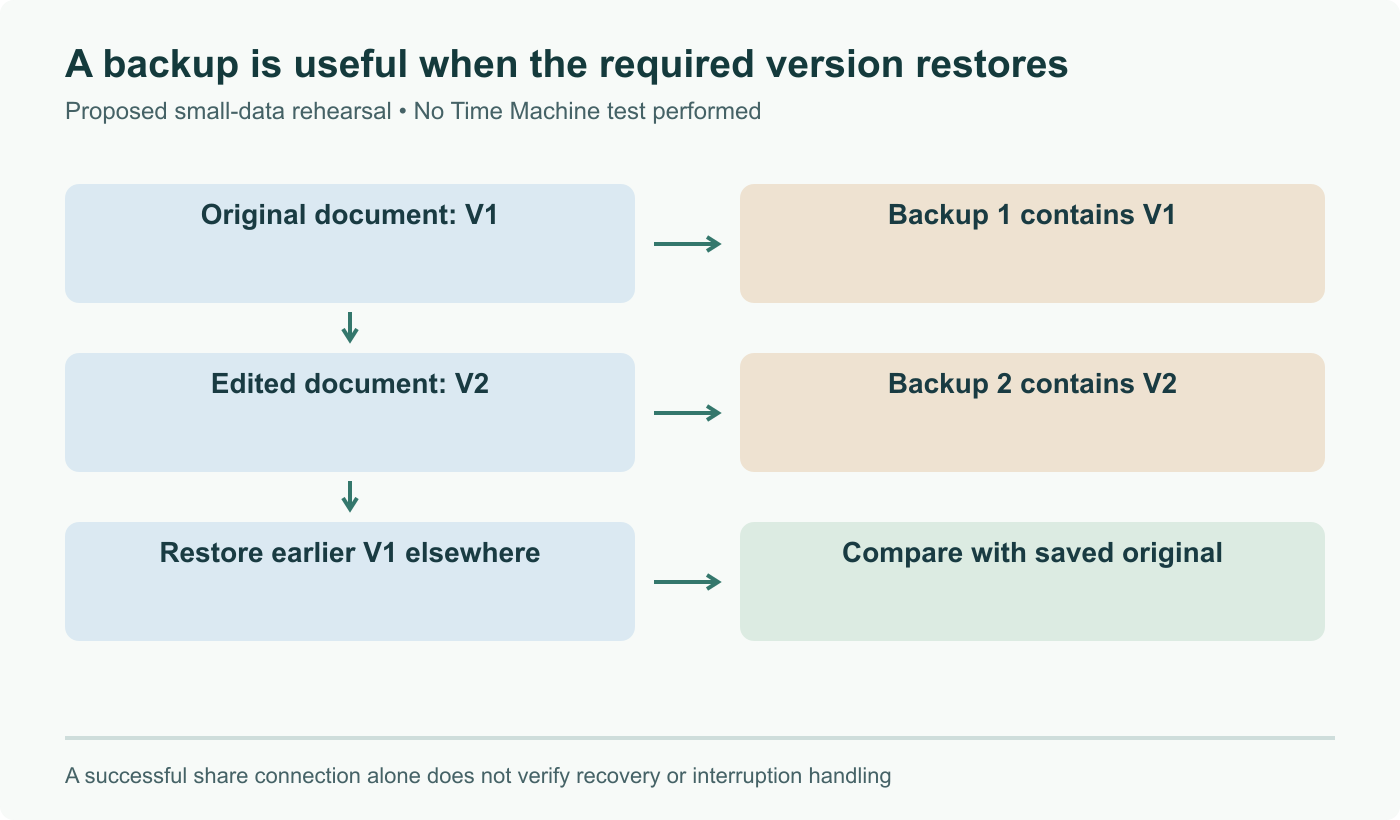
That is not scepticism about the implementation. It is that a backup destination is the worst possible place to find an interoperability bug, because the failure is silent and you discover it at the exact moment you need the data. Run it in parallel with a target you already trust, and test a real restore rather than treating a successful backup as proof. That advice holds for any new backup target, and it holds a little harder for one built on extensions that nobody has published a specification for.

Sources and further reading

Frequently asked questions

What is ksmbd and how does it differ from Samba?

ksmbd is an SMB3 server that runs inside the Linux kernel, where Samba runs as a user space daemon. The design goal is performance and lower resource use: file serving stays in kernel space instead of crossing the user space boundary for every operation, which matters most on high throughput and RDMA links. It is not a drop in replacement for Samba, which remains far more complete on domain membership, printing, and the long tail of Windows integration. In practice ksmbd is chosen for file serving on constrained or performance sensitive systems, and Samba for anything that needs the full feature surface.

Why does Time Machine need special protocol extensions at all?

Because Time Machine is not just copying files. It relies on macOS specific behaviours that plain SMB3 does not express: extended attributes and resource forks mapped onto alternate data streams, sparse file semantics for its disk images, server side copy so data does not round trip through the client, and change notification so Finder and backupd see updates promptly. Apple bundles those behaviours into a set of SMB2 extensions negotiated under the AAPL create context. Without them a share mounts and files copy, but backupd will not accept the destination as valid, which is exactly the failure people have historically hit with generic SMB targets.

What does reverse engineered mean here, and is that a problem?

It means the AAPL extensions have no public specification, so their behaviour was inferred by observing how Apple clients and servers actually talk to each other. That is a normal and legitimate way to build interoperability, and it is how a great deal of SMB support was built long before Microsoft published its protocol documentation. The practical consequence is about maintenance rather than legality: undocumented behaviour can change without notice in a macOS release, and there is no reference document to check an implementation against. Support arriving as opt-in rather than default reflects exactly that caution.

Is this ready for my only copy of anything?

No, and treat it that way for at least a couple of releases. This is a first implementation of undocumented extensions in a comparatively young in-kernel server, and it is opt-in because it is new. A backup destination is also the worst possible place to discover an interoperability bug, since the failure mode is silent and you find out when you need to restore. If you want to try it, run it in parallel with a backup target you already trust, and test an actual restore rather than assuming a successful backup implies a working one. That advice would apply to any new backup target.

What else changed in ksmbd for Linux 7.3?

Several things worth knowing about independently of the Apple work. There is per share SMB3 encryption, so a policy can be applied to one export rather than to the whole server, and encryption support for SMB Direct, the RDMA transport. There is SMB2 command sequence window support and SMB3 request replay, which together improve behaviour when a connection is interrupted and a client needs to resume without duplicating operations. Alongside those sits a substantial set of fixes across the codebase, which is the more meaningful signal for anyone assessing how the server is maturing.