Linux 7.3 adds a cable-capability helper used by alternate-mode drivers. Its important detail is a three-way result: supported, unsupported or unknown. The earlier article incorrectly treated missing information as an automatic rejection.
Follow the actual decision order
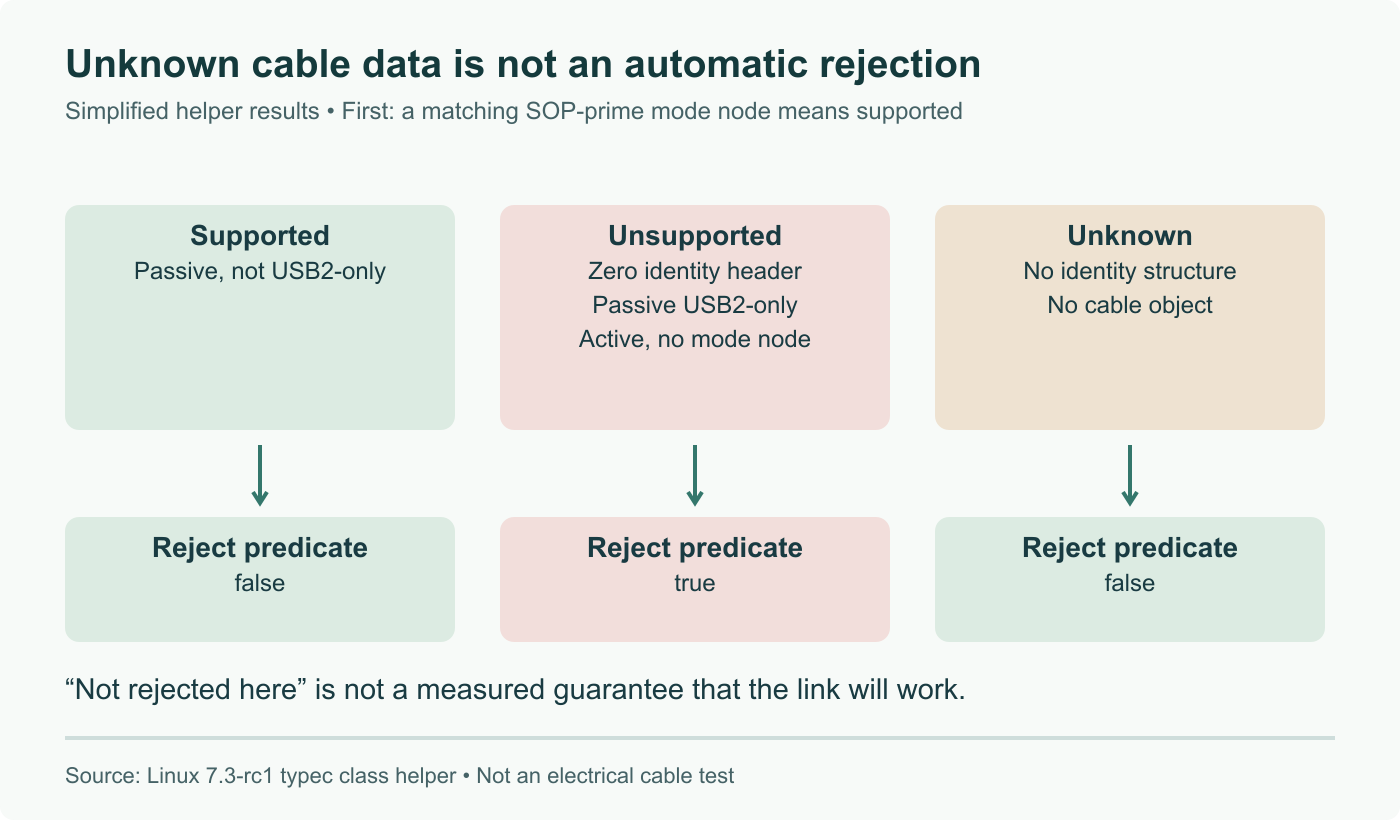
The USB pull request includes Andrei Kuchynski's helper and its DisplayPort and Thunderbolt callers. In the 7.3-rc1 implementation, the internal check first looks for a corresponding SOP-prime alternate-mode node. If present, it returns supported.
Without that node, the remaining cases are:
| Available cable information | Internal result |
|---|---|
| No identity structure | Unknown |
| Identity exists but its header is zero | Unsupported |
| Passive cable reports USB 2.0 only | Unsupported |
| Passive cable reports a different speed | Supported by this check |
| Active cable without the corresponding mode node | Unsupported for that mode |
| Unrecognized product type | Unknown |
The exported typec_cable_altmode_unsupported function returns true only for unsupported. With no cable object it also retains unknown. Therefore, absence of information and evidence of incompatibility are not interchangeable.
This is a gate, not an electrical certification
The DisplayPort caller applies this rejection when the partner advertises a receptacle. This is a specific code path, not proof that every possible Type-C connection is now checked identically.
A supported result from this helper does not measure signal integrity or guarantee a resolution and refresh rate. Other mode negotiation and link-training steps still matter. Likewise, a passive cable is not inherently unsuitable: the helper specifically distinguishes its reported speed.
Inspect what your machine exposes
The Type-C class documentation describes optional cable and plug objects. Their visibility depends on the platform driver and firmware. Start with read-only inspection:
ls -l /sys/class/typec/
ls -l /sys/class/typec/port0-cable/
Use the actual port name shown on your machine. If the second path does not exist, do not turn that absence into a diagnosis of a defective cable. The sysfs ABI documentation explains which attributes depend on reported discovery data.
For a reproducible black-screen report, hold the computer, display, port and display mode constant, then swap only the cable. Record the kernel version, cable specification and whether each connection succeeds. Repeat with the same cable after a kernel change if investigating a regression. This distinguishes a repeatable association from the unsupported claim that every black screen has this cause.
Read the actual helper: unknown identity is distinct from unsupported; DisplayPort caller scope and firmware-dependent sysfs visibility corrected.