Manjaro 26.1 Bian-May was released on August 12, 2026, the first feature release since Anh-Linh in January. It ships GNOME 50, KDE Plasma 6.7 and Xfce 4.20 on top of Linux 7.1, with Linux 6.18 LTS and 6.12 LTS available for anyone whose hardware prefers a longer support horizon. For an Arch based rolling distribution, the ISO refresh matters less than what it signals about defaults, and the default here that we would actually act on is the remote desktop stack: GNOME 50 accelerates it with Vulkan and VA-API, which changes what a remote Linux workstation feels like over a slow link.
The short answer
Manjaro 26.1 Bian-May was released on August 12, 2026, the first feature release since January. It ships GNOME 50, KDE Plasma 6.7 and Xfce 4.20 on Linux 7.1, with Linux 6.18 LTS and 6.12 LTS offered for hardware that wants a longer support horizon. The change worth acting on is in GNOME 50: remote desktop is now hardware accelerated through Vulkan and VA-API, with HDR screen sharing and a low latency cursor under variable refresh rate.
A numbered release from a rolling distribution is a strange object. Nothing is waiting for it, and yet it is the only moment the project has to state what it thinks a good default looks like.
What actually shipped
Manjaro 26.1, codenamed Bian-May, arrived on August 12, 2026. It is the first feature release since 26.0 Anh-Linh in January, and it covers the three official editions: GNOME 50, KDE Plasma 6.7 and Xfce 4.20.
The kernel line is the part worth reading twice. Linux 7.1 is the default, with Linux 6.18 LTS and 6.12 LTS offered alongside it. Shipping a current kernel with two long term options in the same installer is a small thing that saves a real afternoon, because the hardware that needs a newer kernel and the hardware that breaks on one are both sitting in the same fleet.
The change we would actually act on
GNOME 50's remote desktop stack is now hardware accelerated, using Vulkan and VA-API, and it supports HDR screen sharing.
This is the item with consequences outside the desktop. Remote sessions to a Linux machine have historically died at the encode step: the CPU compresses every frame, latency climbs, the fans spin up, and the experience degrades exactly when you need it most, which is when you are somewhere else on a bad connection. Pushing encode onto the GPU moves that cost off the critical path.
If you run Linux workstations that people connect to remotely, that is worth a test this week rather than a note for later. Measure it the way you would measure any latency change: same client, same link, same workload, before and after.
The same GNOME release improves variable refresh rate and fractional scaling, adds a low latency cursor that stays responsive independently of the display refresh rate, and reduces stuttering on Nvidia hardware. GNOME 50 also expands parental controls with screen time monitoring, child account limits, bedtime schedules and automatic screen locking, which is not a sysadmin feature but is a shared family machine feature, and those machines exist.
The other two editions
Plasma 6.7 is a polish release. A quick toggle for switching between light and dark Global Themes, a System Tray that adopts the newer Background Apps format, faster virtual desktop switching, drag and drop reordering of favourites, and notifications that animate in from the nearest screen edge. Nothing here changes how you administer a machine, but the theme toggle is the kind of thing that stops being trivial the moment you present from a laptop in a bright room.
Xfce 4.20 is the interesting one for older hardware. Thunar gains file highlighting, so you can set a custom foreground and background colour on a file from the properties dialog, along with recursive search. Panel preferences now use pixels instead of percentages, which finally makes panel sizing predictable across mixed DPI setups, and there is a keep panel above windows option for maximised applications. The Control Centre gained more options.
Where this sits, and where it does not
Manjaro is a desktop distribution on a rolling base, and both halves of that sentence matter.
The rolling half means updates arrive continuously and the timing decision is yours. On a workstation you sit in front of every day, that trade is good: you get current drivers when your hardware needs them, and you notice a regression while you are awake. On a machine that must run unattended for a year, it is the wrong trade, and no amount of care changes that. If you are choosing a base for servers, the decision framework we would use starts with the support window, not the package versions. There are Arch derived projects aiming at a genuine server edition, and that is a different conversation with different guarantees.
The desktop half means this release is judged on daily use, and on that basis the remote desktop acceleration is the strongest reason to look.
One piece of practical advice that applies to any Manjaro install regardless of version. Install a second kernel before you need one. Kernel switching is cheap here and a boot menu entry that already works is worth a great deal more at eleven at night than the knowledge that you could have added one.
Sources and further reading
- Manjaro 26.1 Bian-May released, Manjaro Linux Forum, August 12, 2026
- Manjaro Linux 26.1 Released With GNOME 50 and KDE Plasma 6.7 Desktops, Phoronix, August 12, 2026
- Manjaro 26.1 Essentially Goes Final with Linux Kernel 7.1 and Plasma 6.7, Linuxiac
- Manjaro Linux 26.1.0 Drops on SourceForge, Ships Linux 7.1 as Default Kernel, Linux Compatible
Frequently asked questions
What is in Manjaro 26.1?
Three official editions on the same base. GNOME 50, KDE Plasma 6.7 and Xfce 4.20, all running on Linux 7.1 as the default kernel, with Linux 6.18 LTS and 6.12 LTS offered as alternatives. It was released on August 12, 2026 under the codename Bian-May and is the first feature release since 26.0 Anh-Linh in January 2026. The base is Arch Linux with Manjaro's own staged package pipeline in front of it.
If Manjaro is a rolling release, why does a numbered release matter?
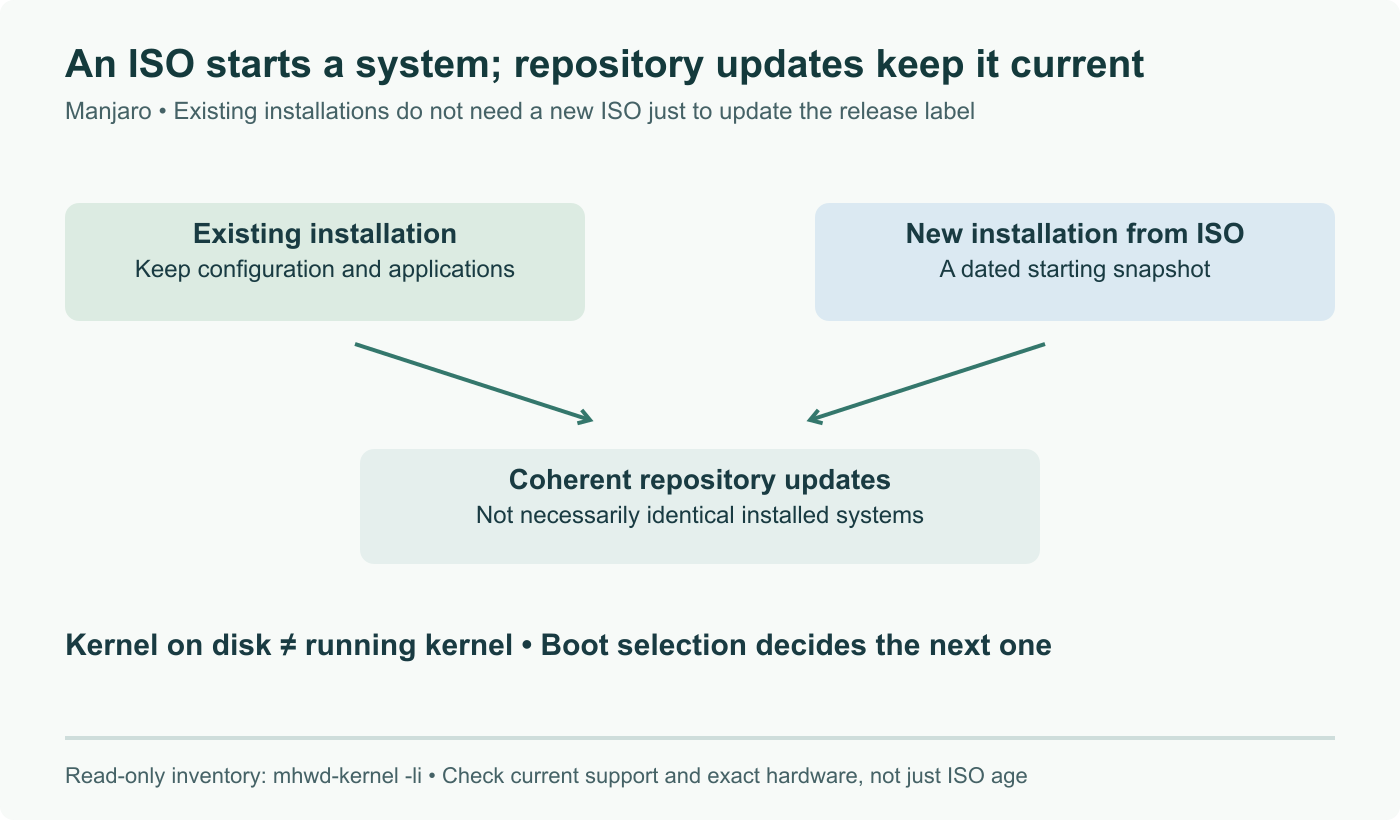
Because the number is about installation media and defaults, not about updates. An existing Manjaro system that has been kept current is already close to 26.1 without reinstalling anything. What a point release actually changes is what you get on a fresh install: which desktop version, which kernel is selected by default, and which configuration the installer writes. If you build machines from an ISO, that is the whole story. If you maintain machines that already exist, this release is a note in your changelog rather than an action.
Which kernel should we pick on a Manjaro machine?
Match the kernel to the machine, not to the release notes. Linux 7.1 is the default and the right choice on recent hardware, where the newer drivers are the reason the hardware works at all. Linux 6.18 LTS is the sensible pick for anything you would rather not think about for a year, and 6.12 LTS suits older hardware where a newer kernel brings regressions and no benefits. Manjaro's kernel management makes swapping cheap, which is exactly why you should install a second kernel before you need it and leave it in the boot menu.
What is the most useful change for a technical user?
The GNOME 50 remote desktop work. It is now hardware accelerated using Vulkan and VA-API, and HDR screen sharing is supported. Remote sessions to a Linux desktop have historically fallen apart on the encode step, where the CPU does the work and every frame costs you latency and fan noise. Moving encode onto the GPU is the difference between a remote workstation that is tolerable and one that is actually usable. The same release also improves variable refresh rate handling, adds a low latency cursor that stays responsive independently of the refresh rate, and reduces stuttering on Nvidia.
Is this a reasonable distribution to run on a server?
No, and it does not claim to be. Manjaro is a desktop distribution built on a rolling base, which is the correct trade for a workstation you use daily and the wrong one for a machine that has to survive unattended for eighteen months. The rolling model puts the burden of upgrade timing on you rather than on a release calendar, which is fine when you are sitting in front of the machine and much less fine at three in the morning. For servers, pick something with a stated support window and a boring update policy.
What changed in the KDE and Xfce editions?
Plasma 6.7 adds a quick toggle for switching between light and dark Global Themes, moves the System Tray to the newer Background Apps format, speeds up virtual desktop switching, allows drag and drop reordering of favourites, and animates notifications in from the nearest screen edge. Xfce 4.20 adds file highlighting in Thunar with custom foreground and background colours set from the properties dialog, recursive search, panel preferences expressed in pixels rather than percentages, a keep panel above windows option for maximised applications, and a wider set of Control Centre options.