A merged Copilot interface does not mean every old feature or document follows the same migration path. The useful distinction is by content type and account, not just the new app icon.
An update with different content paths
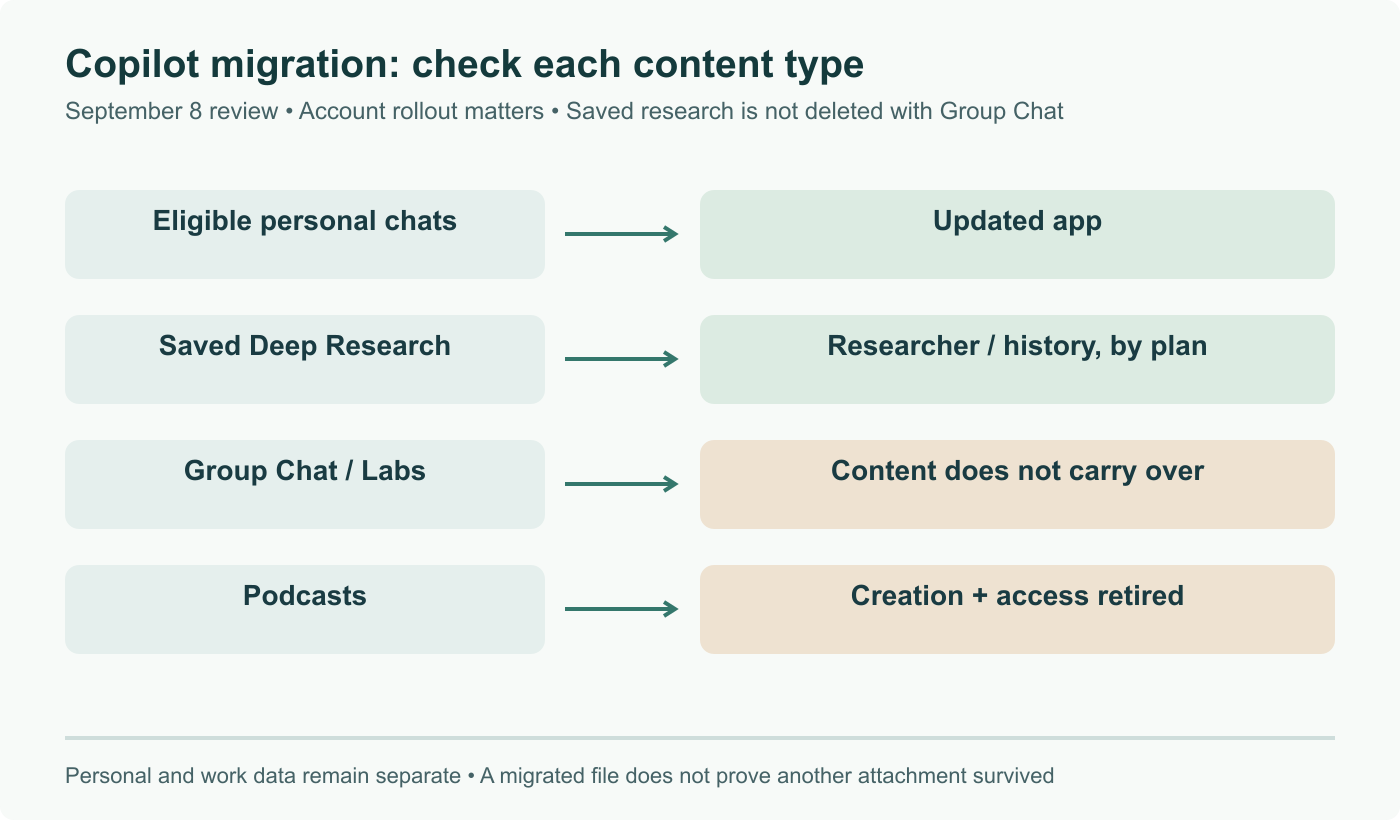
Microsoft's app transition notice describes eligible personal chat and content migration, with uploaded and generated files moving to OneDrive. Work and school data remain separate from personal accounts. An account switcher is not a permission to move organizational data between them.
The retired-feature FAQ identifies exceptions: Group Chat content and Copilot Labs assets do not carry over. Group Chat ends as the account updates during the rollout that starts August 18. Mico is replaced by Learn Live; that change does not mean voice conversation itself disappears.
Saved research is a different case
The Deep Research notice says existing saved reports are retained. Premium subscribers access them through Researcher; Personal and Family subscribers use chat history. Reports can be opened in Word and saved. Researcher is a separate experience, not simply the old feature renamed for everyone.
By contrast, Podcasts retirement ends creation and access after August 18. At this September review, that date is past. The earlier suggestion to download before the deadline must not masquerade as a future opportunity or promise of recovery.
Audit actual items, not just a successful sign-in
Take a small inventory: a normal chat, a generated file, a saved research report and any group-created image you need. Record which account owns each item, then check the appropriate destination. A file opening in OneDrive proves that file migrated; it does not prove a different Group Chat attachment did too.
For a report, open the saved content and confirm its references and attachments are usable. For a file, confirm the account and sharing permissions. If the account has not yet updated, save content the FAQ says will be lost while it is still accessible. If it already has, do not assume a recovery feature exists.
This is more informative than declaring that everything vanished on one date or that everything survives because chat history merged. The update is a migration with explicit exceptions; the cover maps those exceptions so readers can check their own material.
Separate per-account migration from fixed universal deadline; clarify saved Deep Research, retired group chats, Labs and podcasts.