Funding the firmware service and publishing an update for a specific device are different commitments. The useful next step is to check what your machine actually reports.
What is confirmed
Richard Hughes announced on August 4 that NVIDIA became an LVFS premier sponsor. He reported progress distributing DGX Spark firmware through fwupd and said four OEM sponsors met the service’s funding target. The post does not announce firmware delivery for NVIDIA’s entire GPU or server catalogue.
Inspect before assuming an update exists
The fwupdmgr reference separates device discovery, remote metadata and available releases. These inspection commands do not install firmware:
fwupdmgr get-devices
fwupdmgr get-remotes
fwupdmgr get-updates
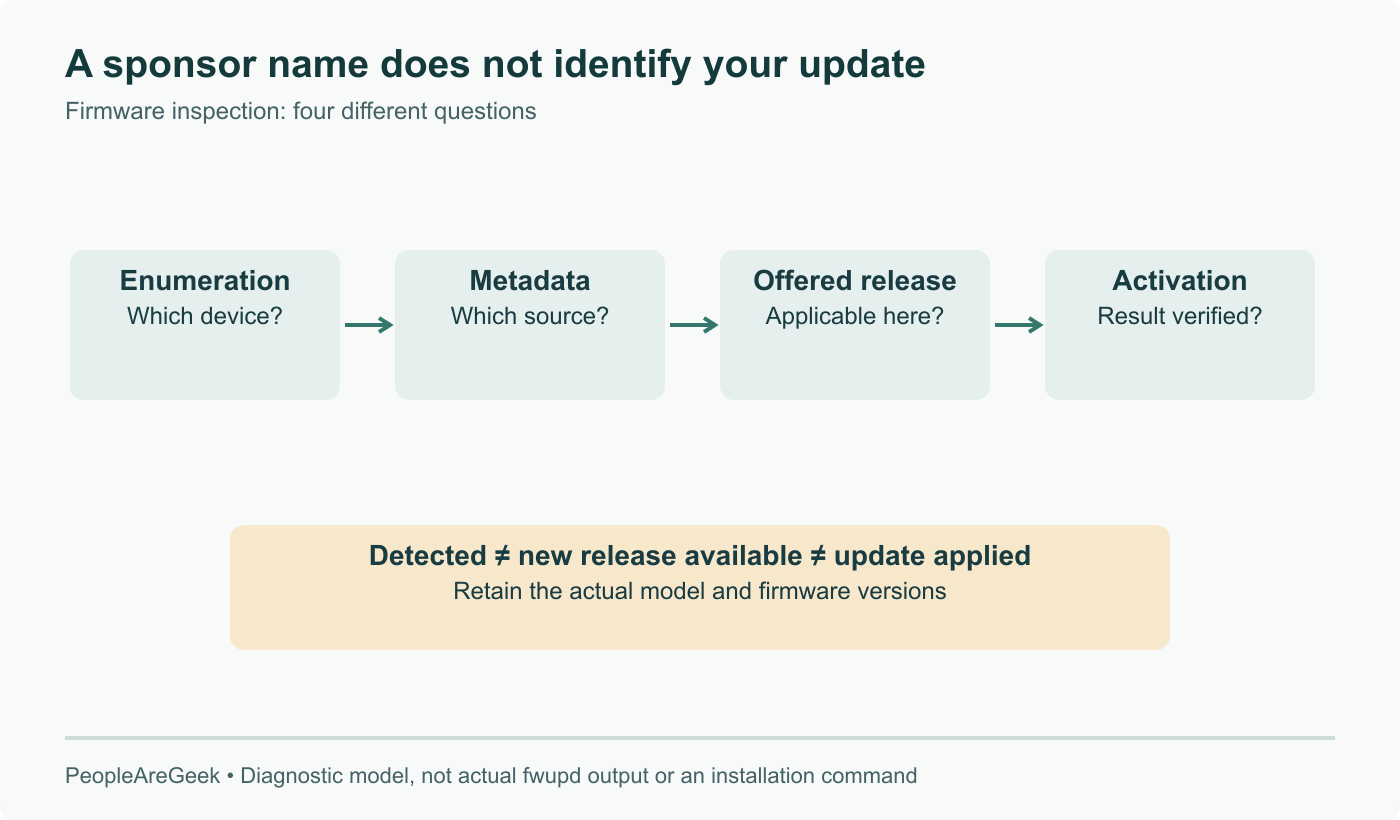
The first identifies what the service enumerates. The second shows configured remotes. The third shows updates available to the device. Refreshing metadata is a separate action; applying firmware is another. We have not run these commands on the reader’s hardware.
Four distinct outcomes
The diagram is a diagnostic path, not a promise that every detected device reaches the end. A missing device, a detected device with no applicable release and a device already at the offered version are different outcomes. “No updates” alone is not enough to diagnose a vendor’s participation.
Record the hardware revision, current firmware, service version and enabled metadata source. Compare the release’s target identifiers and prerequisites with that inventory. This is more useful than treating a sponsorship logo or a generic updatable flag as proof of LVFS coverage.
When an update is deliberately applied, inspect the resulting version and status after any required restart. The command reference provides get-history and get-results for that follow-up. A downloaded package and a completed activation are not the same event.
For a fleet, retain the outcome on a representative machine before expanding deployment. The record should explain which model and firmware combination was validated, not just say that “NVIDIA updates work.” Sponsorship supports the service; model-specific packages and verified update paths determine what it can do for your equipment.
September 8: retain confirmed NVIDIA sponsorship and DGX Spark rollout, remove speculative device coverage and distinguish enumeration, available releases and successful application.