OpenAI added WebMCP support to the browser built into the ChatGPT desktop app on Tuesday August 25, 2026, under the name site tools. The idea is small and the consequence is not. Instead of an agent reading your page, guessing which element is the search box and simulating clicks, your site declares the operations it supports, with a name, a description and a JSON Schema for the arguments. The agent calls those. WebMCP is an experimental standard rather than a shipped web platform feature, the implementation covers only part of it, and Chrome is working on its own. But the registration call is about fifteen lines, it degrades to nothing on browsers that do not implement it, and there is a hackathon with a September 3 deadline pushing adoption hard.
The short answer
OpenAI turned on WebMCP support in the ChatGPT desktop app browser on August 25, 2026, calling the feature site tools. A page registers named operations through document.modelContext, each with a description and a JSON Schema, and a visiting agent calls them instead of simulating clicks. It works in the ChatGPT desktop browser, ChatGPT Work and Codex. Tools declared through HTML form attributes are not read, and tools registered inside an iframe are not discovered at all.
Every agent that has ever tried to use your web application has done the same miserable thing: screenshot the page, guess which box is the search field, click, wait, screenshot again. It works often enough to demo and rarely enough to trust.
What changed
On August 25 OpenAI enabled WebMCP in the browser inside the ChatGPT desktop app. WebMCP is an experimental open standard, developed in the W3C Web Machine Learning Community Group, that lets a web page expose tools an agent can call directly rather than infer.
The framing OpenAI uses is worth repeating because it is the whole point: instead of leaving agents to guess their way through your interface, you define exactly how they can use your application.
The registration call
Tools are registered from a top level module, behind a feature check so nothing breaks anywhere else:
if (typeof document.modelContext?.registerTool === "function") {
await document.modelContext.registerTool({
name: "search_invoices",
description: "Search invoices by customer name and date range",
inputSchema: { /* JSON Schema for the arguments */ },
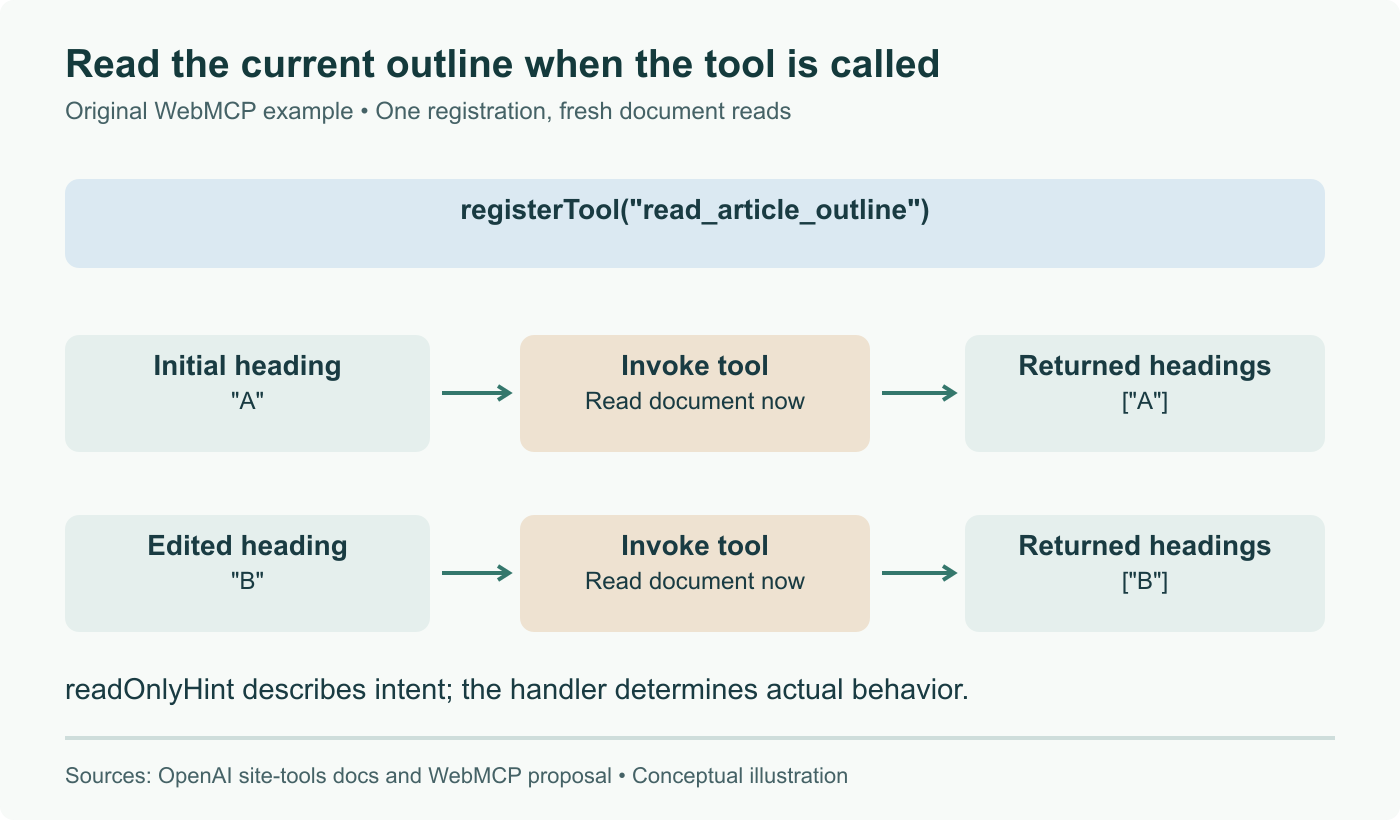
annotations: { readOnlyHint: true },
execute: async (args) => { /* call your existing client, return a result */ },
});
}
That is the entire surface. In most applications the execute body calls the same internal function your own click handler calls, which is why this is usually an afternoon rather than a project.
Two pieces of guidance matter more than they look. readOnlyHint tells the client whether a call has side effects, which is what lets a read only lookup run without interrupting the user while a mutation gets a confirmation. And the description is written for a model, not a person, so it should say what the tool does and what it changes, not read like a UI tooltip.
What is not supported
Three limits are documented and all three are the kind you want to know before writing code, not after.
The declarative path does not work. Tools defined through HTML form attributes, which is how some early WebMCP examples are written, are not available as site tools. Registration is JavaScript only.
Iframes are invisible. The browser does not discover tools registered inside a frame, so an embedded checkout or search widget exposes nothing. If that is your architecture, the tools have to be registered by the top level page and reach into the frame themselves.
And the implementation is partial. Only a subset of the WebMCP APIs is currently supported, which is the honest position for a standard still under active development.
Who can call your tools
Site tools work in the browser built into the ChatGPT desktop app on the latest version, in ChatGPT Work, and in Codex. The model matters too: OpenAI documents support with GPT-5.6 Sol and Terra, and notes that GPT-5.6 Luna currently has WebMCP disabled.
Chrome is working on its own implementation and publishes a developer guide, which is the more important signal for anyone deciding whether this is worth building against. A capability that exists in one vendor's application browser is a bet. The same capability with a browser engine behind it is a platform.
On the trust model, OpenAI is direct: tool definitions and results provided by a website are treated as untrusted content, every invocation is reviewed before it runs, and sensitive actions such as purchases or deletions still go through the normal confirmation flow. The practical consequence for you is the ordinary one that applies to any public endpoint: validate the arguments that arrive in execute exactly as you would validate a form submission, because a model chose them.
The deadline that is doing the work
Alongside the launch, OpenAI opened a ten day WebMCP challenge with Google Chrome, Cloudflare, Shopify, Vercel, Render and Netlify. There is $35,000 in cash prizes, plus Codex Micros and ChatGPT Pro subscriptions. Submissions close on September 3 at 5pm Pacific and winners are announced on September 23.
Hackathons are usually noise. This one is a reasonable read on where the standard is heading, because the partner list is mostly the companies that would have to implement it for it to matter. Shopify is further along than the rest: millions of storefronts are already WebMCP enabled, with agents able to browse a catalogue and build a cart. Expedia, Instacart and Target are named as experimenting.
What we would actually do
Pick the one task users most often ask an agent to do on your site, and expose that. For most applications it is a search or a lookup, which is convenient because read only tools carry the least risk and need no confirmation dance.
Write the schema tighter than feels necessary. A tool with a free text query string will be called with anything; a tool with an enum and a date range will be called correctly. The model is not reading your source, it is reading your description and your schema, and those are the entire contract.
Then check what happens when the tool is absent. The feature detection means a browser without document.modelContext sees nothing, but the more common failure is a tool that registers and returns something an agent cannot verify, so it silently reverts to clicking around your UI anyway. If the agent cannot tell from the return value whether the operation succeeded, you have added code and changed nothing.
We covered the stateless direction the MCP specification took in July, and site tools sit naturally alongside it: the same tool vocabulary, minus the server you had to run.
Sources and further reading
- Build agent ready websites with ChatGPT, OpenAI Developer Community, August 25, 2026
- Site tools documentation, ChatGPT Learn
- WebMCP Challenge, OpenAI
- WebMCP specification, W3C Web Machine Learning Community Group
- WebMCP developer guide, Chrome for Developers
- ChatGPT adds WebMCP support for site tools, Search Engine Journal
Frequently asked questions
How is a site tool different from running an MCP server?
The protocol shape is familiar and the deployment story is completely different. A conventional MCP server is a separate process that a user installs, configures and points a client at, and it authenticates on its own. A site tool ships inside the page you already serve, it is discovered the moment the agent loads that page, and it inherits the session the user is already signed into. Nothing is installed. That last point is what makes this interesting for anyone running a web application: you do not have to convince users to add a connector, you just register the tools in your existing frontend bundle and any visiting agent finds them. The tradeoff is that the tools live and die with the page, so they are only available while the agent is actually on your site.
What does the registration call look like in practice?
You feature detect, then register from a top level module. The call takes a name, a description written for a model rather than a human, an inputSchema in JSON Schema, an annotations object where readOnlyHint tells the client whether the call has side effects, and an execute function that does the work and returns a result. The guidance from OpenAI is worth following literally: keep inputs narrow, describe side effects honestly, and return enough information for the agent to verify what happened. A tool that returns an opaque success is a tool the agent cannot reason about, so it will fall back to reading the page and you have gained nothing.
Why are tools registered inside an iframe not discovered?
The browser only walks the top level document for registrations, so anything registered from inside a frame is invisible. This is a real constraint rather than an oversight, and it bites a specific and very common architecture: if your checkout, your search widget or your embedded dashboard lives in an iframe, none of its capabilities are exposed. The workaround is to register the tools in the top level page and have the execute function talk to the frame through postMessage, which means the parent needs to know what the frame can do. Worth checking early, because discovering it after you have written the tools is an annoying refactor.
Does this replace the REST API we already have?
No, and treating it as a replacement is the mistake we would expect people to make. A site tool is a thin declarative layer over things your application can already do, and in most codebases the execute function is a few lines calling the same internal client your UI calls. The value is not a new capability, it is that the capability becomes discoverable and callable without an agent inferring it from your markup. Your REST or GraphQL API keeps serving programmatic clients that never load your page, which is still most of them. Think of site tools as an additional front door for agents that arrive through the browser, not as an API migration.
Should we add site tools now or wait for the standard to settle?
It depends entirely on whether you have a task worth exposing. WebMCP is explicitly experimental, OpenAI implements only a subset, and the specification is still moving at the Web Machine Learning group, so anything you write now may need adjusting. Against that, the surface area is genuinely small, the feature detection means non-supporting browsers see nothing at all, and the cost of registering two or three read only tools over your existing search or lookup endpoints is an afternoon. Our reading is that read only tools are worth shipping now because the downside is bounded, and anything that spends money or mutates state deserves to wait until the confirmation semantics are less experimental.