SysadminNews

Ubuntu 26.04.1 LTS Opens the 24.04 Upgrade Path

On this page
  1. What is actually in it
  2. The part worth acting on
  3. What this point release does not fix
  4. Support windows are not the same for everyone
  5. How we would run this upgrade
  6. Sources and further reading

Canonical released Ubuntu 26.04.1 LTS on Thursday August 27, 2026, the first point release of the Resolute Raccoon long term support series. It bundles four months of stable release updates into fresh install media, which mostly means a shorter wait between installing and having a patched machine. The change that matters more is procedural: this is the release that opens the supported upgrade path from Ubuntu 24.04 LTS, with Update Manager offering it automatically a couple of weeks from now. There is no new hardware enablement kernel here, and anyone waiting on newer hardware support needs to wait for 26.04.2 after Ubuntu 26.10 ships.

The short answer

Ubuntu 26.04.1 LTS landed on Thursday August 27, 2026, the first point release of the Resolute Raccoon series. It rolls four months of stable release updates into the installation media, so a fresh install comes up patched instead of downloading the backlog on first boot. There is no new hardware enablement kernel, which arrives with 26.04.2 after Ubuntu 26.10. The consequential change is the upgrade path: 24.04 LTS machines will be offered 26.04.1 through Update Manager a couple of weeks from now, and do-release-upgrade -d starts it immediately.

Aug 27the day Canonical published 26.04.1 LTS
4 monthsof stable release updates folded into the media
26.04.2the release that brings the newer HWE kernel
Answer card summarising Ubuntu 26.04.1 LTS: released August 27 2026 as the first point release of the Resolute Raccoon series, bundling four months of stable release updates, with no new hardware enablement kernel until 26.04.2, and opening the automatic upgrade path from Ubuntu 24.04 LTS through Update Manager.
Ubuntu 26.04.1 LTS, the short version. PNG

Point releases are the least interesting announcements Canonical makes, and this one is worth ten minutes anyway. Not for what it contains, but for what it unlocks.

What is actually in it

Ubuntu 26.04.1 LTS is the April release plus every stable release update issued since, folded into new installation media. Bug fixes and security updates, no new features, no new kernel.

The benefit is narrow and real. A machine installed from the new media comes up close to current instead of pulling four months of updates on first boot. If you provision often, that is time you get back. If you already run 26.04 and apply updates normally, you are already at 26.04.1 in every meaningful sense and there is nothing here for you.

The part worth acting on

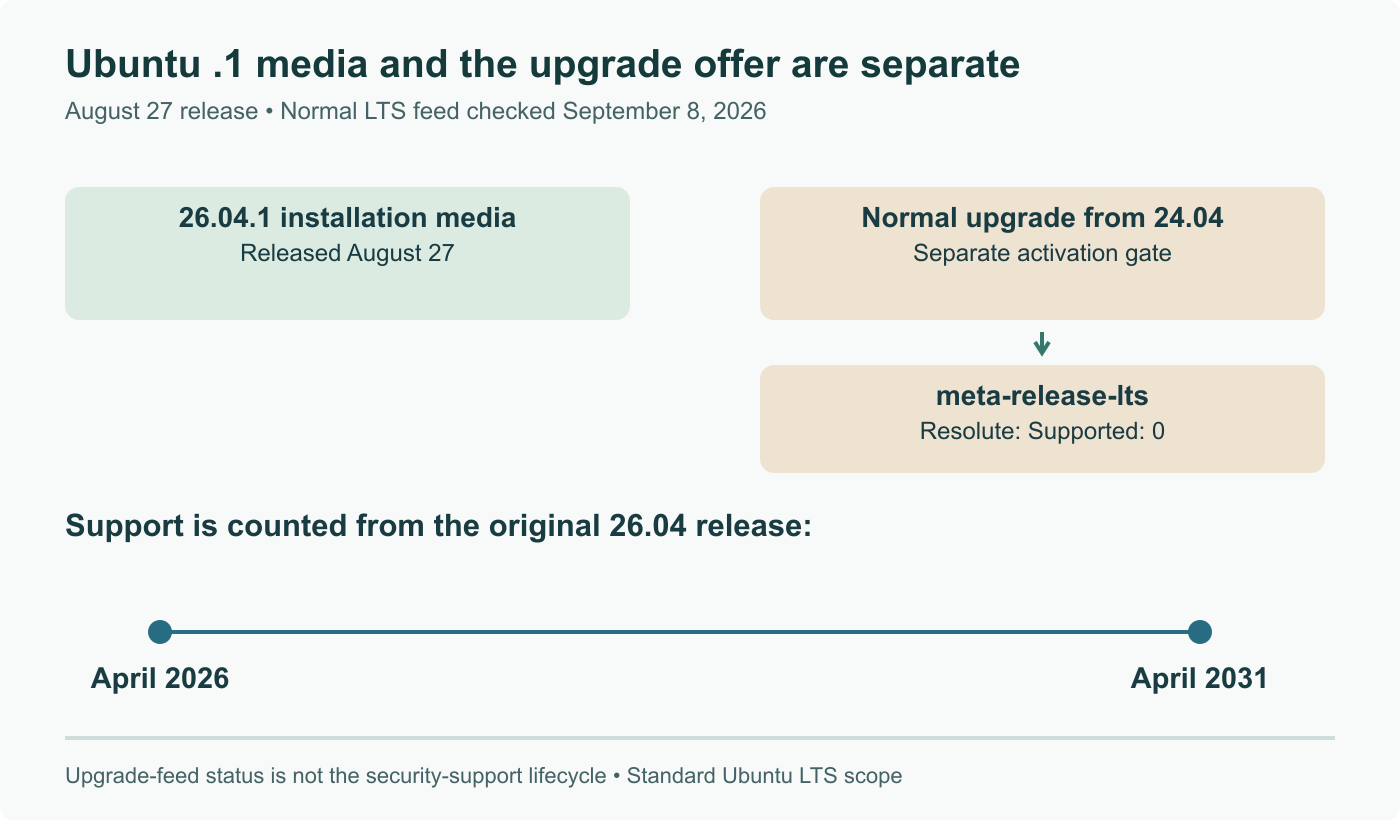
This is the release that opens LTS to LTS upgrades from Ubuntu 24.04.

Canonical will offer the upgrade automatically through Update Manager a couple of weeks after this release. Anyone who does not want to wait can start it now with the development flag:

Terminal card showing an Ubuntu 24.04 LTS to 26.04.1 LTS upgrade: checking the current release with lsb_release, updating packages, and running do-release-upgrade with the -d flag to start the upgrade before the automatic Update Manager offer arrives.
Starting the upgrade before Update Manager offers it. PNG

The reason Canonical gates it this way is sound. An LTS to LTS path gets exercised by an enormous number of machines, a large share of them unattended servers, and the first four months of a release are exactly when the sharp edges show up. Offering the upgrade only against .1 means it points at a version that has already absorbed those fixes.

What this point release does not fix

There is no new hardware enablement stack. Ubuntu 26.04.1 carries the same kernel the April release did, and the newer HWE kernel and graphics stack arrive with Ubuntu 26.04.2, after Ubuntu 26.10 ships.

That matters if your motivation is hardware. A laptop or server newer than the release will not be better supported by 26.04.1 than it was by 26.04, and no amount of point release will change that until the HWE stack lands. Canonical has been reshaping other parts of that picture separately, including a dedicated virtualization HWE stack for 26.04 and smaller housekeeping such as removing the historical /etc/debian_version file.

Support windows are not the same for everyone

Five years of standard support applies to Desktop, Server, Cloud and Core, counted from the original April 2026 release rather than from this point release. The flavours get three years: Kubuntu, Ubuntu Budgie, Lubuntu, Ubuntu Kylin, Ubuntu Studio, Xubuntu, Edubuntu and Ubuntu Cinnamon. Expanded Security Maintenance extends coverage beyond those windows under a subscription.

We keep meeting fleets built on a flavour where somebody wrote five years into the lifecycle plan. It is three. Worth checking before it becomes an urgent problem in year four.

How we would run this upgrade

Pick one machine that runs your real workload, not a clean install, and upgrade it first. A clean install proves that Ubuntu upgrades, which was never in doubt.

Then wait. Two weeks of normal operation surfaces the things that break quietly: a third party repository with no 26.04 suite, a pinned package version that no longer resolves, a configuration file whose format moved, a service that starts fine and then fails on the next reboot. None of those are distribution bugs, and all of them are your problem at three in the morning if you roll a fleet on day one.

If hardware support is part of why you are upgrading, the calmer plan is to wait for 26.04.2. If it is not, the path is open now and there is no reason to sit on 24.04 indefinitely. For anyone still weighing the base distribution itself rather than the version, we keep a decision framework for choosing a Linux distribution that covers the tradeoffs.

Sources and further reading

Frequently asked questions

Do I need to reinstall or do anything if I already run 26.04 LTS?

No. A point release is not a separate version, it is the same release with the accumulated stable release updates folded into the installation media. If your machine has been applying updates normally, it is already at 26.04.1 in every respect that matters, and there is nothing to download beyond your usual updates. The new media exists for fresh installations and for provisioning, where the benefit is that a new machine comes up already patched instead of pulling four months of updates on first boot. That is a real benefit at scale, and no benefit at all on a machine you already run.

Why does the 24.04 LTS upgrade only start now?

Because Canonical does not open LTS to LTS upgrades until the first point release of the new series. The reasoning is straightforward: an LTS upgrade path is exercised by a very large number of machines, many of them unattended servers, and the first four months of a release are when the sharp edges surface. Waiting for .1 means the upgrade is offered against a version that has already absorbed those fixes. In practice, 24.04 LTS users will be offered the upgrade automatically through Update Manager a couple of weeks after this release, and anyone impatient can start it immediately with do-release-upgrade -d.

Why is there no new kernel in this point release?

Because the hardware enablement stack does not follow the same schedule. Ubuntu 26.04.1 ships the original 26.04 kernel, and the newer HWE stack with a fresher kernel and graphics stack arrives with Ubuntu 26.04.2, after the Ubuntu 26.10 release. This is the normal pattern for the first point release and not an omission. The consequence is worth being clear about: if your reason for looking at 26.04.1 is support for a machine whose hardware is newer than the release, this is not the point release that helps you.

How long is 26.04.1 supported, and does that differ by flavour?

Yes, and the difference is significant if you run one of the flavours. Ubuntu Desktop, Server, Cloud and Core get five years of standard support counted from the original 26.04 LTS release in April 2026, not from this point release. The remaining flavours, which include Kubuntu, Ubuntu Budgie, Lubuntu, Ubuntu Kylin, Ubuntu Studio, Xubuntu, Edubuntu and Ubuntu Cinnamon, get three years. Beyond those windows, Expanded Security Maintenance extends coverage under a subscription. Planning a fleet on a flavour and assuming the five year number is a mistake people make repeatedly.

Should we upgrade a 24.04 LTS server fleet now?

Not on the day the path opens, and not because the path opened. The honest sequence is to upgrade a representative machine first, one that runs your actual workload rather than a clean install, and let it sit for a couple of weeks. The failures that matter in an LTS to LTS jump are almost never the distribution itself, they are your third party repositories, pinned package versions, a configuration file format that changed, or a service that quietly stops starting. Note also that 26.04.1 carries the original kernel, so if hardware support is part of your motivation, waiting for 26.04.2 may be the better plan.