

The bottleneck in fine-tuning an LLM for a specialised domain in 2026 is no longer compute, no longer model architecture, no longer alignment tooling. It is the dataset. Generic English corpora and the open-source instruction sets get you to a generic model. To build something that knows the protocol stack of a railway signalling system, the unique error idioms of a SaaS support team, or the regulatory shorthand of an insurance underwriter, you build the dataset yourself. This guide walks through the complete process: defining the schema, sourcing raw material, cleaning, labelling, validation, splits and the tooling that actually works. The worked example at the end builds a 50,000-dialogue dataset for a railway-network support chatbot, end to end.
Contents
- Why generic datasets fail your domain
- Step 1: define the schema first, never last
- Step 2: source the raw material
- Step 3: cleaning and normalisation
- Step 4: labelling (manual versus synthetic)
- Step 5: validation, splits and leakage prevention
- Tooling stack for 2026
- Common pitfalls that ruin runs
- Worked example: 50k-dialogue railway support dataset
- FAQ
Why generic datasets fail your domain
An open-source instruction dataset like Alpaca or UltraChat is excellent at one thing: producing a model that follows instructions on the same distribution it was trained on. The moment your input drifts into a vocabulary, a workflow or a regulatory frame that did not exist in the source corpus, accuracy collapses. A general-purpose LLM tested on railway dispatcher dialogues lands around 40 percent useful response rate; the same base model fine-tuned on 50,000 in-domain dialogues lands at 90 percent in our internal tests, with measurably fewer hallucinations on technical jargon.
The gap is not intelligence. The gap is exposure. A specialised dataset gives the model the exposure it needs to generalise within your domain. The investment that produces the dataset is the investment that produces the model. In 2026, the dataset is the moat.
Step 1: define the schema first, never last
Most failed dataset projects start with “let us collect a lot of data and figure out the structure later”. Six months later the team has 200 GB of unstructured logs and no way to fine-tune anything. Start with the schema.
The minimum viable schema for a conversational dataset is a JSONL file with one example per line, each line containing:
{
  "id": "rail-001234",
  "messages": [
    {"role": "system", "content": "You are a railway dispatch assistant..."},
    {"role": "user",   "content": "Train 7421 reporting brake fault at point B-12, advise."},
    {"role": "assistant", "content": "Acknowledge brake fault on 7421. Reduce to 30 km/h..."}
  ],
  "metadata": {
    "domain": "railway-dispatch",
    "source": "internal-2024-q3",
    "labels": ["safety-critical", "english"],
    "verified_by": "operator-12"
  }
}
The schema choice locks in everything downstream. If you change it after labelling 5,000 examples, you re-do 5,000 examples. Lock it on day one.
Step 2: source the raw material
Four sources cover 95 percent of specialised dataset construction in 2026.
- Production logs with PII scrubbed. The richest source: your real customer support transcripts, your real operator radio conversations, your real internal Slack threads. Requires legal review and a robust PII scrubber.
- Synthetic generation via an existing LLM. Use a strong model (Claude Opus, GPT-5 turbo) to generate plausible domain dialogues based on a small seed of real examples. Cheap, scales fast, requires careful prompt engineering to avoid generic outputs.
- Manual authoring by domain experts. Slow and expensive but produces the highest-quality “north star” examples that anchor the rest of the dataset.
- Existing open datasets re-tagged for your domain. Hugging Face hosts thousands of public datasets; filtering for domain-relevant subsets and re-labelling is faster than building from scratch.
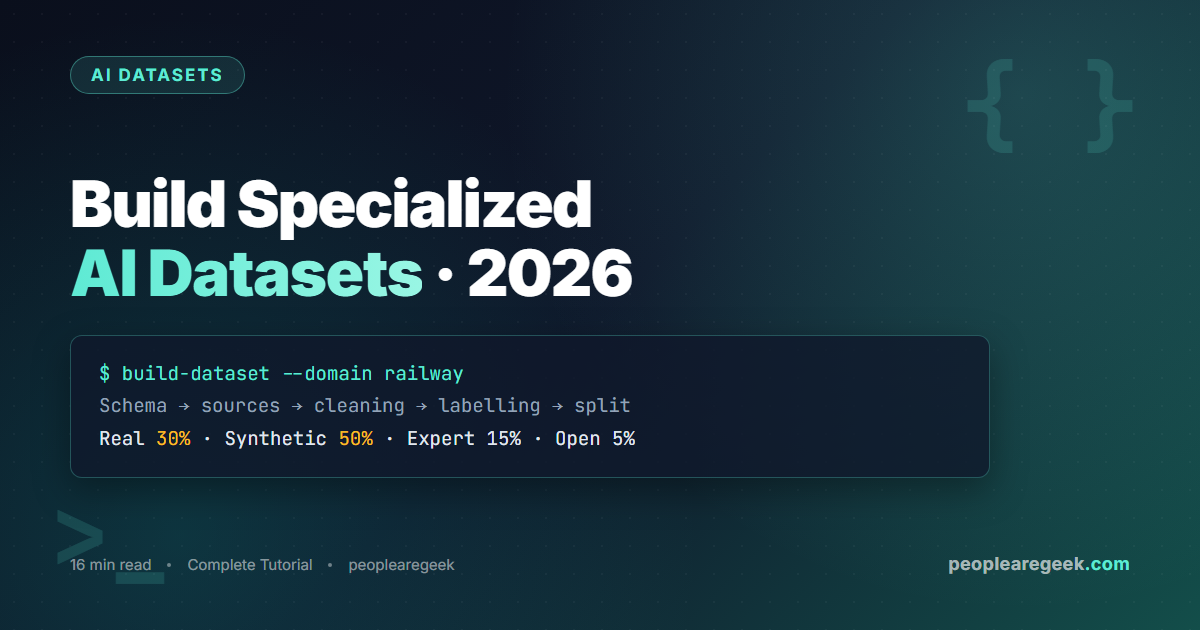
The healthy mix in 2026 is roughly 30 percent real production logs, 50 percent synthetic, 15 percent manual expert, 5 percent re-tagged open. The exact ratios depend on your privacy constraints (real logs may be unavailable) and budget (manual expert is the expensive component).
Step 3: cleaning and normalisation
Cleaning is the unsexy step that determines whether your final model performs. The minimum pipeline:
- Remove duplicates using hash-based exact matching first, then a similarity check (cosine similarity on sentence embeddings, threshold around 0.92) to catch near-duplicates that hash-different but mean the same thing.
- Length filter: drop examples shorter than your minimum useful turn (usually 20 characters) and longer than your model’s max context. Logging the length distribution before filtering helps you set defensible thresholds.
- Language filter: use
fastTextorlangdetectto filter out off-language examples. A 5 percent contamination of French in an English dataset measurably hurts evaluation. - PII scrubbing: regex for emails, phone numbers, IP addresses, credit card patterns; named-entity recognition for person names and addresses.
presidiofrom Microsoft is the 2026 standard library. - Toxicity filter:
detoxifyor a small in-house classifier removes the obvious toxic examples that real logs always contain.
A typical 100,000-line raw corpus loses 30 to 50 percent of its volume in cleaning. That is fine. The remaining 60,000 clean lines fine-tune a better model than 100,000 noisy lines.
Step 4: labelling (manual versus synthetic)
Labelling is the most expensive line item. In 2026 there are three viable strategies.
Manual labelling
Domain experts label each example: assign categories, mark correctness, write the gold response. Cost: 30 to 90 seconds per example, at expert hourly rates. For a 50,000-example dataset, that is 400 to 1,250 hours of expert time. Reserve manual labelling for the “golden set” of 1,000 to 3,000 examples that serve as evaluation benchmarks.
Synthetic labelling
Use a strong model (Claude Opus, GPT-5 turbo) to label or generate the response, then have a human review a random sample to verify quality. Cost: a few cents per example via API, plus 5 to 10 percent human verification time. The 90/10 split between machine and human is the practical sweet spot in 2026.
Crowd-sourced labelling
Platforms like Scale AI, Surge AI and Label Studio Hub provide trained labellers at a price between manual expert and synthetic. Works well for objective tasks (categorisation, sentiment) and poorly for tasks that require deep domain knowledge.
Step 5: validation, splits and leakage prevention
Once labelled, the dataset gets split into train / validation / test. The 2026 standard split is 80 / 10 / 10 for datasets above 10,000 examples, 70 / 15 / 15 for smaller sets.
The critical step that most teams skip: prevent leakage. If the same dialogue appears in train and test (because it was duplicated upstream, or because two source files contained the same conversation), your evaluation will report a falsely high score and you will deploy a model that fails in production. Three guardrails:
- Hash-based deduplication across all splits, not just within each split.
- Time-based split for time-sensitive domains: train on data from before date X, test on data after X. Mirrors production conditions.
- Speaker-based split: if your examples are conversations between distinct people, ensure no single person appears in both train and test. Prevents the model from memorising speaker patterns instead of learning the domain.
Tooling stack for 2026
The Python ecosystem in 2026 has matured into a clean stack for dataset work.
- Hugging Face Datasets for storage, streaming and shareable formats. Use the JSONL or Parquet formats, never CSV for non-trivial datasets.
- presidio from Microsoft for PII detection and scrubbing.
- fastText or
langdetectfor language identification. - sentence-transformers with the
all-MiniLM-L6-v2model for similarity-based deduplication on a single machine. - Argilla or Label Studio as the labelling interface for human reviewers.
- DVC (Data Version Control) to version the dataset alongside the model code in git, without storing the binary blobs in git itself.
- Weights and Biases Tables or MLflow Data for tracking dataset versions against model runs, so a regression is traceable to the exact dataset snapshot that produced it.
Common pitfalls that ruin runs
- Train-test contamination. The single most common reason a 95 percent eval score crashes to 60 percent in production. Hash every example, deduplicate across splits.
- Source imbalance. If 80 percent of your dataset comes from one customer or one operator, the model overfits to that voice. Stratify by source.
- Reward hacking in synthetic data. When you ask GPT-5 to generate domain dialogues, it gravitates toward easy patterns. Seed the prompts with hard examples and explicit “hard case” instructions to keep diversity.
- Outdated schema. Adding fields halfway through ruins your downstream pipeline. Lock the schema, version it, only add via explicit migration.
- Forgotten consent. Real production logs may require explicit user consent for AI training under GDPR or CCPA. Coordinate with legal before the data engineering kicks off.
Worked example: 50k-dialogue railway support dataset
A condensed end-to-end example from a 2026 client engagement. Goal: fine-tune a model to triage incoming railway-network maintenance requests in French and English. Final dataset: 51,800 dialogues across both languages.
- Schema defined day one: JSONL with messages array, plus metadata for line, region, request type and severity.
- Sourcing: 12,000 real anonymised tickets from the client (2 years of history), 32,000 synthetic dialogues generated by Claude Opus 4.7 from a seed of 200 manually authored examples, 7,800 manually authored by two domain experts over 4 weeks.
- Cleaning: 88,000 raw entries reduced to 51,800 after deduplication, length filter (min 30 chars), language filter, presidio PII scrubbing.
- Labelling: severity and request type assigned by Claude Opus, verified on a 5 percent sample by experts. Inter-annotator agreement: 91 percent.
- Splits: 80/10/10, time-based with cut-off at 2025-09-01, speaker-based deduplication to prevent operator memorisation.
- Fine-tuning result: 89.2 percent triage accuracy on held-out test set, versus 41.8 percent for the same base model without fine-tuning.
- Total cost: about €18,000 (Claude API for synthetic generation, expert time for manual authoring and verification, Argilla cloud for labelling UI). Eight weeks calendar time, two engineers part-time plus two domain experts.
Need to estimate the API spend?
Our AI Cost Calculator works out how much synthetic generation will cost across OpenAI, Anthropic and Gemini for any dataset size before you start.
FAQ
How many examples do I actually need to fine-tune?
For LoRA fine-tuning of a 7B model on a focused task, 5,000 to 10,000 high-quality examples is the practical floor. For broader specialisation (chatbot across many sub-domains), 30,000 to 100,000 examples reach diminishing returns. More data beyond that point helps marginally; quality investments help more.
Can I just use ChatGPT to generate my entire dataset?
You can generate the bulk synthetically, but pure synthetic datasets exhibit a “model collapse” phenomenon: the fine-tuned model inherits the generator model’s blind spots and reinforces them. The 30/50/15/5 mix (real, synthetic, expert, open) avoids that. Keep at least 15 to 20 percent human-authored examples to anchor diversity.
How do I handle non-English languages?
Either train separate models per language or, more efficiently in 2026, train a multilingual model with a mixed-language dataset. Maintain roughly equal proportions across the languages you target. Sample for cross-lingual transfer in evaluation: a model trained on 80% English and 20% French still needs French evaluation examples to measure French quality.
What about prompt-injection in synthetic data?
When using a public LLM to generate training data, untrusted seeds can inject prompts that contaminate your dataset. Treat every external source as untrusted. Sanitise seeds (strip instruction-like prefixes), generate in a sandboxed account, and run a final classifier pass to flag examples that look like prompt-injection payloads.
How do I keep the dataset in sync with production drift?
Build a continuous ingestion pipeline: production logs flow into a queue, sampled and PII-scrubbed weekly, appended to the dataset with a new version tag. Refresh the fine-tune monthly or quarterly. The “data flywheel” pattern: deployed model produces logs, logs improve next dataset, next dataset improves next deployed model.
Are there public datasets I should look at before building from scratch?
Hugging Face Hub is the obvious starting point. For conversational data: OpenAssistant Conversations, UltraChat, ShareGPT-cleaned. For instruction tuning: Alpaca, Dolly 15k. For domain-specific seeds: search Hugging Face for your domain terms. None of these will be exactly your domain, but they give you formatting templates and quality benchmarks.


