

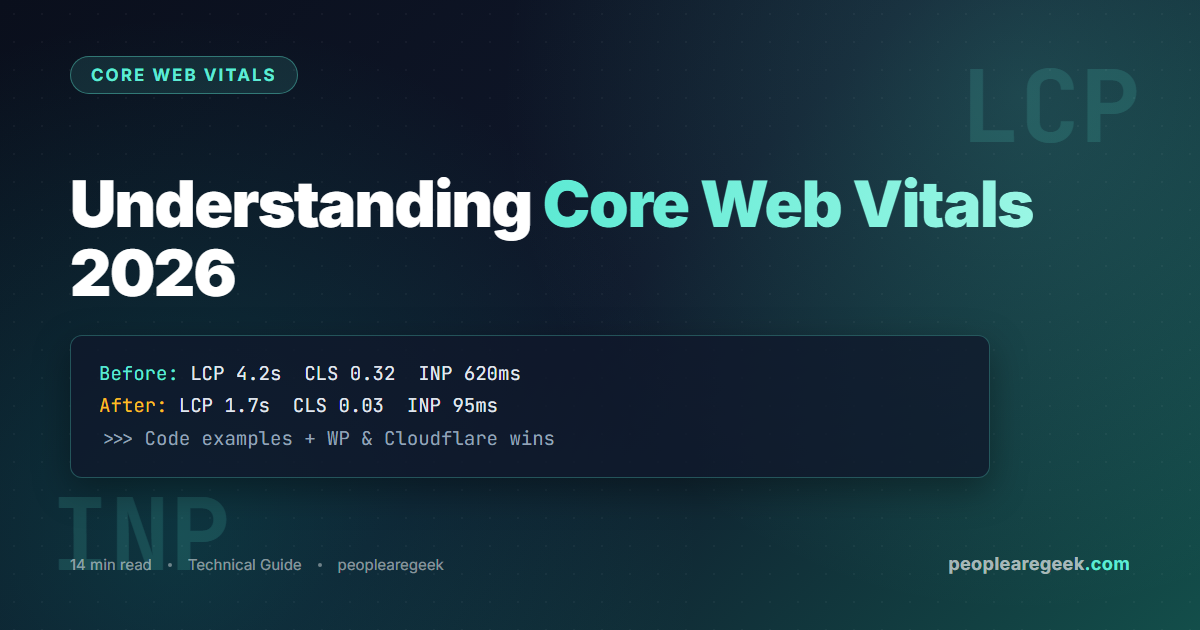
Core Web Vitals are the three metrics Google uses to quantify the perceived performance of a web page: LCP (Largest Contentful Paint), INP (Interaction to Next Paint) and CLS (Cumulative Layout Shift). In 2026, they directly influence organic ranking on competitive queries and strongly correlate with conversion rate. This guide explains each metric with a before/after code example, shows how to read Lighthouse captures, and lists the WordPress and Cloudflare-specific optimisations that deliver the largest gains.
Contents
The 2026 “Good” thresholds and where Google measures them
To earn the “Good” badge on a URL, all three metrics must pass simultaneously at the 75th percentile of 28 rolling days of field measurement (CrUX). The thresholds have been stable since 2024: LCP < 2.5 s INP < 200 ms CLS < 0.1. The “Needs Improvement” zone runs up to LCP 4 s, INP 500 ms, CLS 0.25. Beyond that, it is red.
Google ranks on field data (CrUX, collected from opt-in Chrome users), not on Lighthouse. Lighthouse stays useful for development iteration, but a Lighthouse 95 with a 4-second p75 CrUX is the classic trap: you are measuring your 1 Gbps fibre with an M3 MacBook, your users are measuring an average Android on 4G. The truth is in the Google Search Console “Page Experience” report and in client-side web-vitals instrumentation.
LCP: before/after code and optimisations
LCP measures the moment when the largest visible element (hero image, title block, video) finishes rendering. Three levers dominate: server TTFB, blocking resources in the head, and load time of the LCP element itself.
Case 1: Hero image lazy-loaded by mistake
The hero image plugin applies loading="lazy" by default. Consequence: the LCP image is discovered by the browser too late, LCP crosses 4 s.
Before – LCP 4.2 s
<img src="/uploads/hero.jpg"
     loading="lazy"
     width="1200" height="600"
     alt="Hero image">
After – LCP 1.7 s
<img src="/uploads/hero.avif"
     fetchpriority="high"
     width="1200" height="600"
     alt="Hero image">
<!-- no loading="lazy" on the LCP image -->
The fetchpriority="high" + AVIF format (or WebP fallback) combo typically gains 1.5 to 2 s on the hero image. Remember to remove loading="lazy" from this specific image (other images on the page keep it).
Case 2: Web font blocking render
The Google Fonts font is loaded synchronously via <link rel="stylesheet">. The browser waits for the font before displaying the text, which pushes the title block’s LCP.
Before – LCP 3.4 s
<link href="https://fonts.googleapis.com/
  css2?family=Inter:wght@400;700"
  rel="stylesheet">
After – LCP 1.9 s
<link rel="preconnect"
  href="https://fonts.gstatic.com" crossorigin>
<link rel="preload"
  href="/fonts/inter-700.woff2"
  as="font" type="font/woff2" crossorigin>
<style>
  @font-face{font-family:Inter;
    font-display:swap;
    src:url(/fonts/inter-700.woff2)
        format('woff2');}
</style>
Self-hosting the font (one fewer request to fonts.googleapis.com) + font-display: swap + preloading the critical weight gains 1 to 1.5 s on text LCP.
INP: before/after code and optimisations
INP measures the longest interaction delay over the page’s lifetime. A click that takes 800 ms to respond ranks you amber even if every other click responds in 50 ms.
Case 3: Synchronous long task blocking the UI
A client-side filter that iterates over 8,000 items blocks the main thread for 600 ms on every keystroke.
Before – INP 620 ms
input.addEventListener('input', (e) => {
  const q = e.target.value.toLowerCase();
  const filtered = items.filter(item =>
    item.name.toLowerCase().includes(q)
  );
  render(filtered); // blocks 620ms
});
After – INP 95 ms
let timer;
input.addEventListener('input', (e) => {
  clearTimeout(timer);
  const q = e.target.value.toLowerCase();
  timer = setTimeout(async () => {
    const filtered = await runInWorker(items, q);
    render(filtered);
  }, 80); // debounce + Worker
});
Three techniques combined: debounce (limits execution frequency), offload to a Web Worker (frees the main thread), scheduler.yield() between blocks if you cannot go full Worker. Details in our Web Workers guide.
Case 4: Non-passive scroll listeners
A non-passive scroll listener blocks the compositor thread on every pixel scrolled. On mobile, the first post-scroll INP balloons.
Before – INP 380 ms
window.addEventListener('scroll', () => {
  updateProgressBar();
});
After – INP 110 ms
window.addEventListener('scroll', () => {
  requestAnimationFrame(updateProgressBar);
}, { passive: true });
CLS: before/after code and optimisations
CLS measures unexpected visual shifts during loading. A banner that appears mid-load, an image without dimensions, a font that swaps: all of it counts.
Case 5: Image without dimensions
Before – CLS 0.28
<img src="/article/figure.jpg"
     alt="Diagram">
<!-- no dimensions, the browser
     cannot reserve space -->
After – CLS 0.02
<img src="/article/figure.jpg"
     width="800" height="450"
     style="aspect-ratio:800/450;
            max-width:100%;height:auto"
     alt="Diagram">
Case 6: Cookie banner pushing content down
The banner appears 800 ms after LCP and pushes all the content down. CLS exceeds 0.30 from this alone.
Before – CLS 0.32
// Inject banner into body at runtime
document.body.prepend(banner);
After – CLS 0.03
// Banner at fixed position at bottom
.cookie-banner{
  position:fixed; bottom:0; left:0; right:0;
  z-index:9999;
}
// OR reserve space in the HTML
<div id="cookie-slot"
     style="height:0;overflow:hidden"></div>
WordPress-specific optimisations
WordPress concentrates several recurring traps. The optimisations below typically add 30 points to the mobile Lighthouse score and move all three metrics into green.
- Page cache plugin: WP Rocket, LiteSpeed Cache or W3 Total Cache. The static HTML page is served from cache, TTFB drops from 800 ms to 80 ms. Typical LCP gain: 700 ms.
- Disable unused global scripts: Contact Form 7, WooCommerce, or Elementor load their JS on every page. The
Asset CleanUporPerfmattersplugin lets you disable them page by page. INP gain: 100 to 250 ms per script removed. - Native lazy-load except hero: use
add_filter('wp_get_attachment_image_attributes', ...)to forcefetchpriority="high"on the first content image, keep lazy on the others. - Compress and convert images to AVIF: ShortPixel, Imagify or Smush with “AVIF priority” mode. LCP image gain: 1 to 2 s, bandwidth saving: 30 to 50 percent.
- Preload the critical web font: add
<link rel="preload" as="font">via thewp_headfilter or via the Pre* Party Resource Hints plugin. - Disable unused emojis and embeds:
remove_action('wp_head', 'print_emoji_detection_script', 7)andremove_action('wp_head', 'wp_oembed_add_discovery_links'). Marginal gain but cumulatively: 50 to 100 ms.
Cloudflare-specific optimisations
If your site sits behind Cloudflare (free or Pro), several Speed panel options deliver immediate gains without code changes.
- Early Hints (free): Cloudflare sends a
103 Early Hintswith thepreloadandpreconnectbefore your server even responds. LCP gain: 200 to 400 ms on first loads. - HTTP/3 and 0-RTT (free): enable in Network. LCP gain: 100 to 200 ms on unstable mobile networks.
- Auto Minify and Brotli (free): compresses HTML/CSS/JS on the fly. Bandwidth saving: 15 to 25 percent.
- Cache Reserve (Pro): stores static assets in a persistent long-lived cache, avoiding origin revalidation.
- Disable Rocket Loader: despite its name, Rocket Loader serialises JS loading and worsens INP on modern sites. Disabling it typically gains 150 ms of INP.
- Image Resizing / Polish (Pro): on-the-fly AVIF/WebP conversion and device-based resize. LCP image gain: 1 to 1.5 s on mobile.
Our CDN Detector verifies in seconds whether Cloudflare is active on your site and which cache served the request.
Reading a Lighthouse capture correctly
Lighthouse displays the metrics in the following format. Here is the correct interpretation of the numbers:
Three things to watch. 1) Lighthouse does not display INP directly (it shows TBT as a proxy). For the actual INP, instrument with web-vitals or check the PageSpeed Insights “Field Data”. 2) The overall Performance score (out of 100) is weighted: LCP counts 25 percent, TBT 30 percent, CLS 25 percent, FCP 10 percent, Speed Index 10 percent. A 90+ score is not enough if one CWV stays amber. 3) Mobile Lighthouse applies CPU throttling (4x slowdown) and network throttling (Slow 4G): the numbers are deliberately pessimistic to match real user experience.
Measure your CWV in one click?
Our Core Web Vitals 2026 tool displays LCP, INP and CLS with the identified element for each metric. No install, instant launch on any public URL.
FAQ
How long until an optimisation shows up in Search Console?
CrUX uses a 28-day rolling window. The first visible variation in Search Console usually appears after 7 days for high-traffic pages, with the stabilised value at 28 days. To validate the effect faster, instrument your code with the web-vitals library and send the metrics to your own analytics: you see the result within 24 hours.
My Lighthouse score is 95 but Search Console shows amber. What do I do?
This is the classic lab-vs-field gap. Lighthouse measures from your machine, Search Console from your real users (often mobile, often slow networks). Enable the CrUX report in PageSpeed Insights, identify the red field metric, and apply the optimisations above. Do not waste time pushing Lighthouse from 95 to 100.
Is a premium cache plugin worth paying for in 2026?
If you are on shared hosting (OVH, Hostinger, etc.), yes: WP Rocket or LiteSpeed Cache (free on LiteSpeed servers) makes the difference between slow and fast site. On a modern managed host (Kinsta, WP Engine, O2switch), the server-side cache layer is often enough and a free plugin like Cache Enabler is sufficient.
My images are already compressed, why is my LCP still bad?
Three possible causes. 1) The LCP image is lazy-loaded (check the loading attribute). 2) The img tag is injected by JavaScript after DOMContentLoaded (the browser discovers it too late; inject it via server-rendered HTML). 3) The origin server has high TTFB (> 800 ms); enable page cache or upgrade hosting.
Does Cloudflare Rocket Loader help or hurt CWV?
In 2026, Rocket Loader hurts more often than it helps. It was useful for pre-2020 sites with lots of blocking JS; modern tools (defer, async, modules) have made that help obsolete. Test without Rocket Loader before testing with: nine times out of ten, INP is better without.
How do I prioritise if I only have a day to optimise?
Tested priority order: 1) Enable a page cache (major LCP gain), 2) remove loading="lazy" from the hero image, 3) add width and height to every image, 4) preload the main web font, 5) disable unused heavy plugins. These 5 actions typically cover 80 percent of the gain in half a day.


