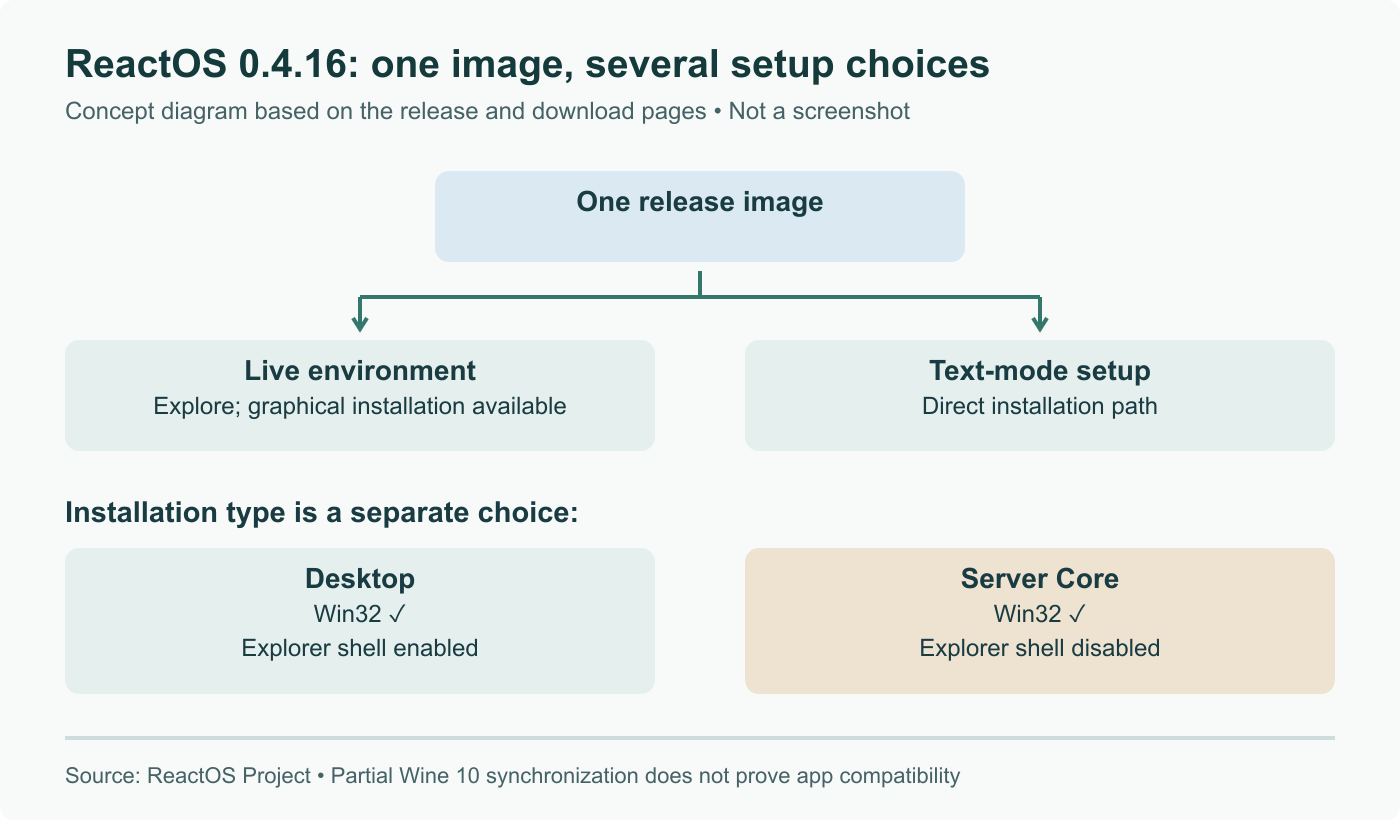
ReactOS 0.4.16 arrived on August 29 with graphical installation and a combined live/install image. Server Core disables the Explorer shell. Wine 10 synchronization has progressed, but the project explicitly says that work is still ongoing.
What the release changes
The release notes describe new setup, driver and compatibility work. Server Core retains the full Win32 subsystem while disabling the Explorer shell. That is not the removal of all graphical application support.
The download page offers both a live environment and a text-mode setup path in the release image. Graphical setup has therefore not eliminated every text installer. The project still labels ReactOS alpha software.
For a view of the real interface, the official release notes include an installer gallery and Server Core screenshots. Those are project captures, not images from a PeopleAreGeek test.
Wine 10 is a migration, not a universal compatibility claim
The release notes say a substantial part of the Wine 10 synchronization is included, with more work remaining. They also say the release image still exposes Windows Server 2003 exports because some applications expect a complete newer interface when they detect any of it.
Consequently, a version number attached to shared code cannot establish that a particular Windows application works. The program can depend on additional APIs, a driver, a service, an installer behavior or a graphics path. Each is a separate point where compatibility needs evidence.
A small compatibility worksheet
For an application you are evaluating, use a disposable virtual machine and record its exact version and the ReactOS image used. Define the task before running it, then record results at each stage:
| Stage | Concrete check |
|---|---|
| Installation | Installer completes and required files are present |
| Launch | Main window or service starts without an error |
| Useful operation | A representative document opens or the intended calculation completes |
| Save and reload | Output can be read again and its contents are correct |
| Restart | The same operation still works after reboot |
These are suggested checks, not results we obtained. A successful launch alone should not be reported as full support. If saving fails, retain the exact steps and error rather than simply labeling the whole application incompatible.
Comparing Desktop and Server Core fairly
If the application can be evaluated in both installation types, keep the VM hardware and program version identical. Record whether it actually needs Explorer integration, such as a shell extension, or merely uses Win32 windows.
Do not assume that removing the desktop shell automatically gives a particular memory saving. Measure the same idle and workload states if that is your question. The release offers a new installation choice; the resource and compatibility effects for your program remain to be tested.
Correct partial Wine 10 migration, continued text setup and Server Core scope; replace unsupported performance claims with a reproducible compatibility worksheet.