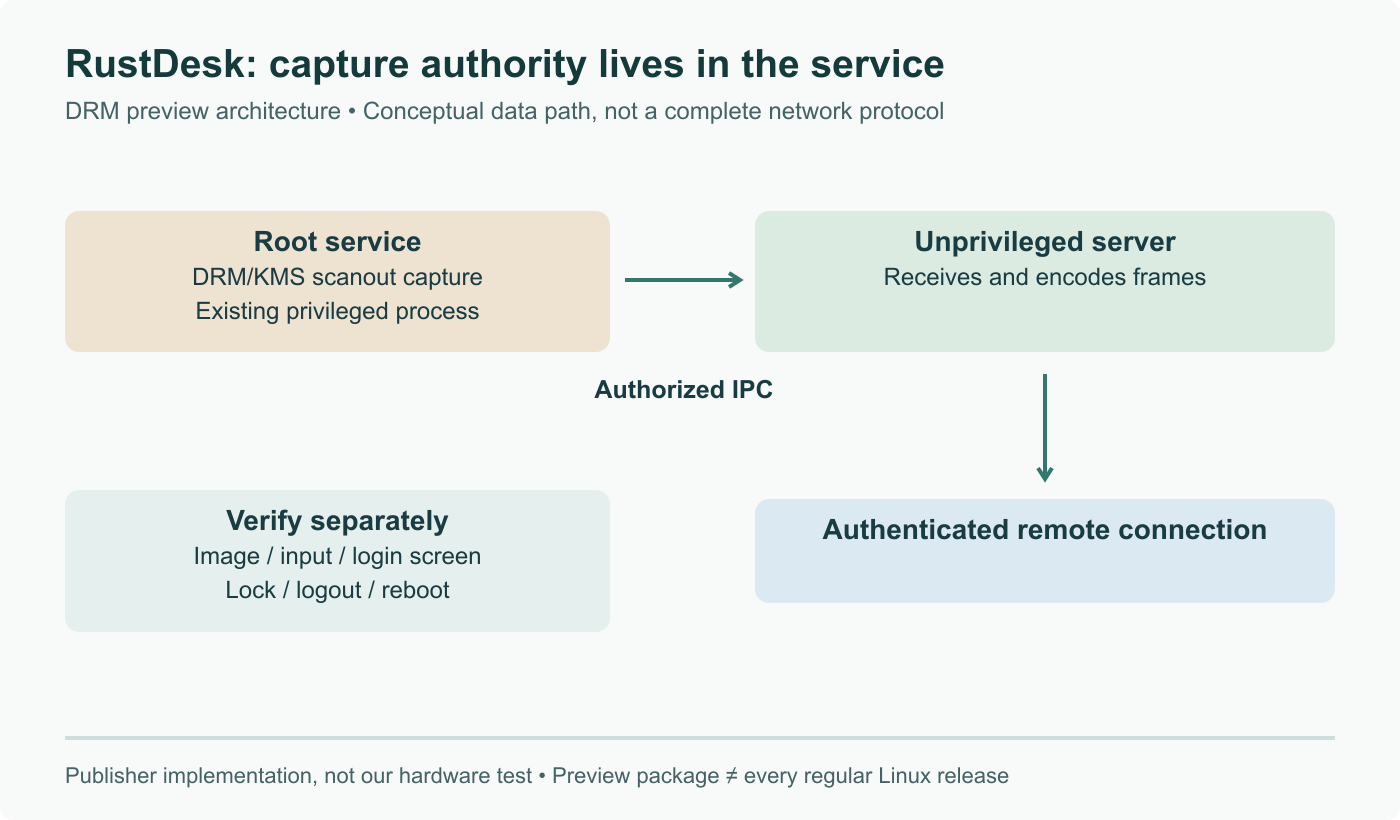
RustDesk announced on August 14, 2026 that it can now open a remote session on a Wayland desktop with nobody sitting at the far end to approve it, and that multi monitor setups work in the same session. That is the feature Linux remote support has been missing since distributions started shipping Wayland by default. You connect after a reboot, from the login screen, without a human on site clicking accept in a portal dialog. It ships as a separate preview build for x86_64 Debian and Ubuntu based systems, not in the standard release, and Fedora and Arch are on the list for later.
The short answer
RustDesk announced on August 14, 2026 that it now supports true unattended remote access on Wayland, including multi monitor setups, and that you can connect from the login screen after a reboot. It ships as a separate preview build for x86_64 Debian and Ubuntu based systems rather than in the standard release, with Fedora and Arch Linux named as the next targets. RustDesk wants field reports before making the behaviour default.
Anyone who has tried to take over a Linux desktop remotely since Wayland became the default knows the failure mode. The connection succeeds, the client shows a black rectangle, and the machine on the other end is quietly waiting for somebody to click a permission dialog that nobody will ever see. RustDesk says that is fixed.
What was announced
On August 14, 2026, the RustDesk team published a post titled Unattended Remote Access on Wayland with RustDesk. The claim is direct: RustDesk can now provide true unattended access on Wayland, without requiring someone at the remote machine to approve every session, and multi monitor setups are supported as well. After the initial setup, you can connect even when no one is at the remote machine, including from the login screen after a reboot.
That last clause is the one to read twice. Connecting to a running desktop session is one problem. Connecting to a machine that has just rebooted and is sitting on a greeter, with no user session to attach to, is a different and harder one, and it is the case that turns a remote desktop tool into something you can rely on for a machine you cannot walk to.
Why this was hard
Under X11 any client that could talk to the display server could read the whole screen and synthesise input events. That was convenient and it was the reason screen capture, hotkey daemons and remote desktop tools all worked without asking anyone.
Wayland closed that door on purpose. A client cannot see other windows, cannot grab the framebuffer, and cannot inject keystrokes. Screen sharing goes through xdg-desktop-portal, which puts the compositor in charge of the decision and normally surfaces a dialog to the user. For a screen share on a call that is the correct behaviour. For a headless kiosk in a warehouse it is a wall.
The workarounds people have been using tell you how bad the gap was. Swapping the display manager back to an X11 greeter so a login screen is at least capturable. Keeping whole fleets on X11 sessions and postponing desktop upgrades. Running a VNC server against a virtual output nobody can see. Each of those trades away something real, and each of them is a bit of technical debt you carry until the tooling catches up.
What it does not cover yet
The scope is narrow and RustDesk says so plainly. One preview build, x86_64 only, Debian and Ubuntu based systems only, published as a separate download rather than folded into the normal release. Fedora and Arch Linux are named as the next distributions with no date attached. The feature reaches standard releases once the implementation is stable.
RustDesk also frames the release as a request rather than a victory lap: it wants more real world testing before making this the default. That is the right posture for a capability that depends on compositor behaviour, and compositor behaviour differs between GNOME, KDE Plasma, wlroots based sessions and everything else. We covered GNOME 51's Wayland work and Plasma 6.8's dmabuf changes recently, and the pace of change in that layer is exactly why a feature like this needs field reports rather than a lab demo.
The competitive context in the announcement is worth noting because it is checkable. AnyDesk currently requires Xorg for incoming Linux sessions. TeamViewer still describes Wayland support as experimental for common desktop environments. RustDesk being first here matters less than the fact that the problem was open long enough for being first to be possible in August 2026.
What we would do this week
Grab the preview build for two or three non critical machines, not the fleet. The value of a preview is information, and information comes from machines you can afford to break.
Test the greeter case explicitly. Reboot, do not log in locally, and connect. If that works on your hardware and your desktop environment, you have just removed the main reason to keep those machines on X11.
Then check the multi monitor path, because a single arbitrary output is the classic partial implementation, and check what happens when someone physically logs in while you are connected. Report what you find. RustDesk asked for exactly that, and a preview build that gets tested on real fleets is how this ends up in a stable release rather than staying a blog post.
Sources and further reading
- Unattended Remote Access on Wayland with RustDesk, RustDesk blog, August 14, 2026
- RustDesk's demo post on X, August 14, 2026
- RustDesk for Linux: installation, X11 versus Wayland, headless and unattended access, RustDesk documentation
- RustDesk now supports true unattended remote access on Wayland, Hacker News discussion, August 14, 2026
Frequently asked questions
What does unattended actually mean here?
It means the remote machine accepts an incoming session without a person present to authorise it. On a Wayland desktop the compositor mediates screen capture and input injection through xdg-desktop-portal, and the portal normally raises a dialog that somebody has to click. That is fine for assisted support, where a colleague is on the phone with you, and useless for the case most of us actually have: a machine in a rack, a signage box in a lobby, a workstation you left running at the office. RustDesk says the preview build removes that requirement, and that you can connect after a reboot while the machine is still sitting on its login screen.
Which systems can run the preview build today?
One target: x86_64 Debian and Ubuntu based systems. RustDesk publishes it as a separate download rather than folding it into the normal release channel, so your existing installs are untouched until you deliberately swap them. The announcement names Fedora and Arch Linux as the next distributions, with no date attached, and says the feature will eventually land in the standard RustDesk releases once the implementation is stable. If you run RHEL derivatives, openSUSE or anything on arm64, you are waiting.
Does this replace our current remote support tooling?
Not yet, and treating a preview build as production tooling would be a mistake. What it does change is the shape of your migration plan. Plenty of teams have been holding fleets on X11 sessions specifically because their remote access broke on Wayland, which means holding back desktop upgrades too. If unattended access works on your hardware, that blocker goes away and you can plan the Wayland move on its own merits. Test it on a handful of machines, confirm the login screen case and the multi monitor case, and keep your existing path until the feature reaches a normal release.
Where do the other Linux remote desktop products stand on Wayland?
RustDesk cites the state of the field in its own announcement, and the claims are checkable against vendor documentation. AnyDesk currently requires Xorg for incoming Linux sessions. TeamViewer still describes its Wayland support as experimental for common desktop environments. GNOME and KDE both ship their own remote desktop services with headless and login screen modes, but wiring those into a cross platform client, with a self hosted relay and multi monitor handling, is exactly the gap RustDesk is trying to close.
What should we test first if we try it?
Three things, in this order. Reboot the machine and connect while it sits at the greeter, because that is the case that fails silently on most setups. Then connect to a multi monitor machine and check that you get every screen rather than one arbitrary output. Then verify what happens to the session when a local user logs in physically, because handover between a greeter session and a user session is where portal based capture usually loses its permission. RustDesk is explicitly asking for real world reports before making this the default, so a clear bug report is worth more right now than a forum complaint.