You searched for how to run Qwen 3.7 locally, so here is the honest answer up front: you cannot, not yet. Qwen 3.7 Max and Plus are closed-weight, API-only models, and Alibaba has not released open weights for the 3.7 line. The good news is twofold. The newest open Qwen, version 3.6, is excellent, runs on your own machine today, and installs with one command through Ollama. And Alibaba's pattern is to follow each API launch with open weights about three to four weeks later, so Qwen 3.7 weights are expected around mid-2026, and when they land this exact guide works by changing one word. So let us get a real, private, free Qwen running now, and set you up to swap to 3.7 the day it drops.
The short answer
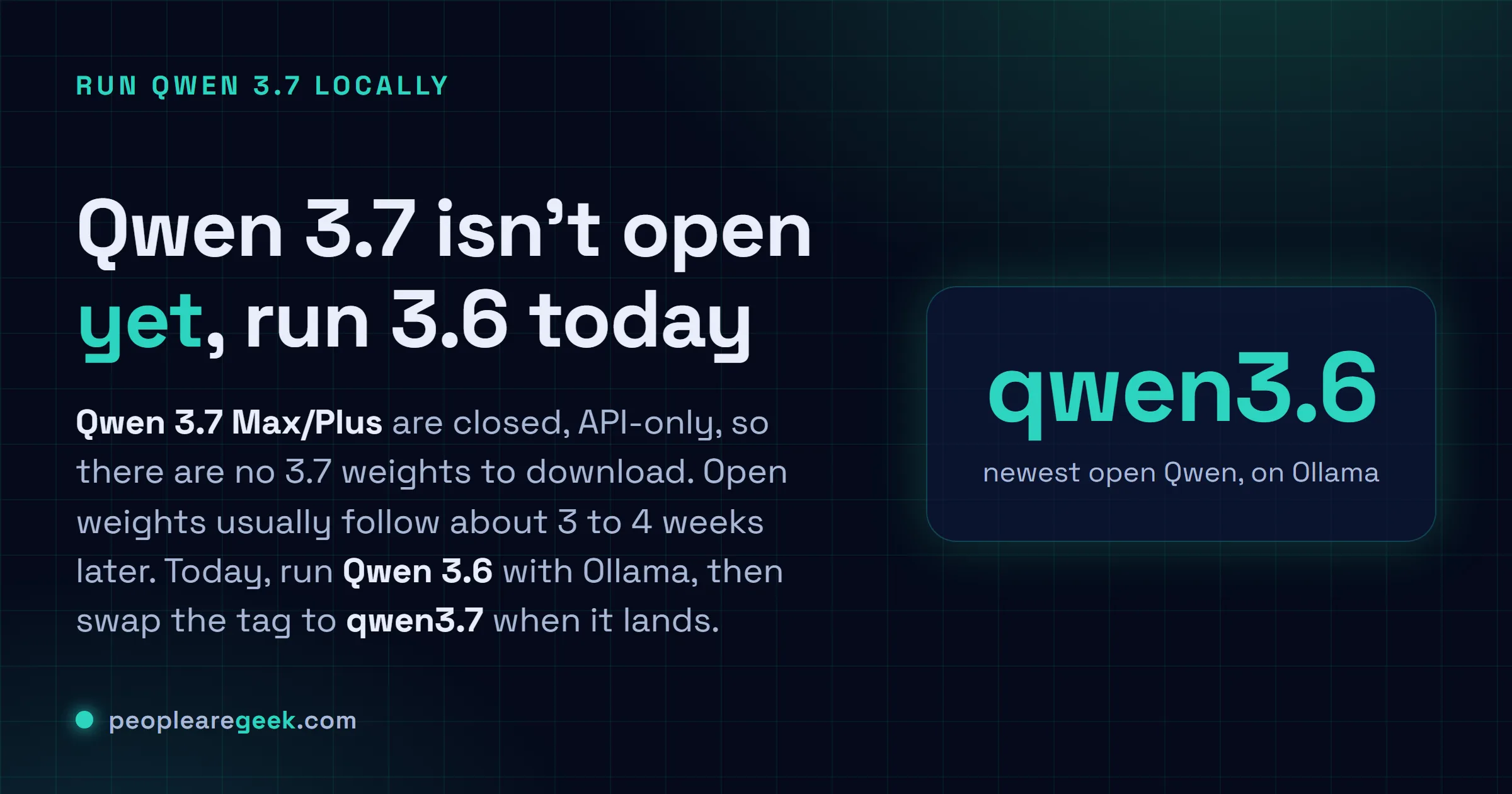
Qwen 3.7 Max and Plus are closed and API-only, so there are no 3.7 weights to run locally
yet. Open weights usually follow the API by three to four weeks. Today, install Ollama
and run Qwen 3.6, the newest open Qwen: ollama run qwen3.6:27b. Pick a size that fits
your VRAM, and when 3.7 open weights land you just change the tag to qwen3.7.
The cloud version of Qwen 3.7 is genuinely strong, and if you only need an API, our Qwen 3.7 Max vs GPT-5.5 comparison covers it. But running a model on your own machine is a different goal: free generation with no meter, complete privacy, and it works on a plane. The catch, as above, is that the 3.7 line is closed for now. So this guide does the useful thing, it gets the newest open Qwen running locally today, in a way that becomes a 3.7 guide the instant Alibaba ships those weights. No theory, just the commands.
Can you run Qwen 3.7 locally right now?
Short answer, no, and it is worth being clear why. Alibaba ships its flagship tiers (Max and Plus) as closed, API-only models first, then releases open weights for the line a few weeks later. Qwen 3.6 followed exactly that path. So Qwen 3.7 open weights are not a question of if but when, and the pattern points at the middle of 2026.
In the meantime, Qwen 3.6 is the newest open-weight Qwen, and it is not a consolation prize. It ships with vision (text and image input), a 256K-token context window, and strong agentic coding, all under the permissive Apache 2.0 license. It is on Ollama right now. Everything below uses 3.6, and the only thing that changes for 3.7 is one word in one command.
The fastest path: Ollama
Ollama is the quickest way from nothing to a running model. It bundles the inference engine, a model library and a local API behind a single command. Install it, then pull and chat with a model in one line.
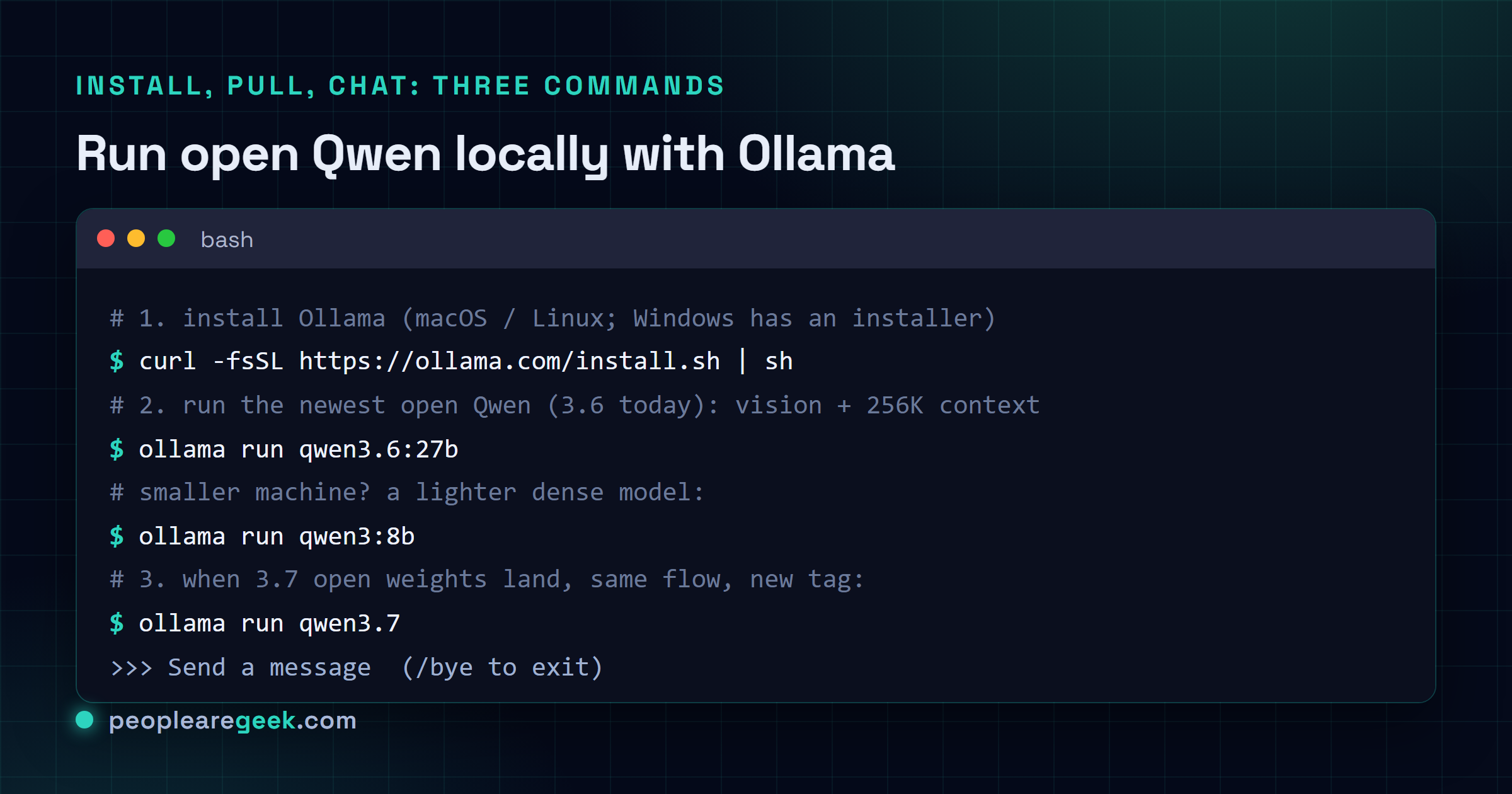
# macOS and Linux (Windows has a normal installer at ollama.com)
curl -fsSL https://ollama.com/install.sh | sh

# pull and run the newest open Qwen, then just type at the prompt
ollama run qwen3.6:27b
That second command downloads the model the first time (about 17 GB for the 27B), then drops you into a chat prompt. Type a message, or /bye to leave. The model stays on disk, so the next launch is instant and fully offline.

Pick the right size for your hardware
The single most common mistake is pulling a model too big for your machine, which either fails or crawls. Match the model to your VRAM (or to unified memory on Apple Silicon), at the default Q4_K_M quantization. Qwen 3.6 is a large model, so for lighter machines the earlier but still excellent Qwen 3 dense models are the better fit.
| Your hardware (VRAM or unified RAM) | Run this | Download |
|---|---|---|
| 8 GB (RTX 3060/4060, Apple M 8 GB) | ollama run qwen3:8b | ~5 GB |
| 12 GB | ollama run qwen3:14b | ~9 GB |
| 16 to 24 GB (RTX 4090/3090, Apple 24 GB) | ollama run qwen3.6:27b | 17 GB |
| 24 GB and up (or Apple 32 GB+) | ollama run qwen3.6:35b | 24 GB |
| Apple Silicon, tuned build | ollama run qwen3.6:35b-mlx | 22 GB |
A good rule: the 8B is the sweet spot that punches above its weight for everyday coding and chat, the 14B is a clear step up in reasoning, and the Qwen 3.6 27B is where you feel near-frontier quality if your hardware can hold it. When in doubt, start one tier below what you think you can run and move up.
Quantization, in one minute
Quantization shrinks a model's weights to fewer bits so it fits in less memory. You will see tags like Q4, Q5, Q6 and Q8. The one to use is Q4_K_M: it cuts memory by roughly half versus the full model while losing under one percent on benchmarks, which is why Ollama defaults to it. Go higher (Q6, Q8) only if you have memory to spare and want the last sliver of quality. If you run long contexts and run short on memory, quantizing the KV cache as well buys back a surprising amount of room.
Other ways to run it
Ollama is the easy default, but it is not the only door.
- LM Studio is a polished desktop app with a visual model browser and a chat window. If you would rather click than type, start here; it runs the same GGUF models.
- llama.cpp is the engine underneath most of these tools. Use it directly when you want maximum control, custom flags, or to run a specific GGUF from Hugging Face with
huggingface-cli. - vLLM and SGLang are for production serving, many users, high throughput. They need a CUDA GPU, so on a Mac you stay with Ollama or LM Studio.
For most people reading this, Ollama for daily use plus LM Studio when you want a GUI covers everything.
Use it from your code
This is the part that makes a local model genuinely useful: Ollama serves an OpenAI-compatible API at http://localhost:11434/v1. So your existing OpenAI client works by changing the base URL and the model name.
from openai import OpenAI

client = OpenAI(base_url="http://localhost:11434/v1", api_key="ollama")
resp = client.chat.completions.create(
    model="qwen3.6:27b",
    messages=[{"role": "user", "content": "Refactor this function"}],
)
print(resp.choices[0].message.content)
That is the whole integration. Because the cloud Qwen and OpenAI also speak this format, you can point the same code at a local model, a Qwen API, or another provider by changing two lines, which makes testing local against cloud almost free.
When Qwen 3.7 open weights arrive
Here is the payoff for doing this now. When Alibaba publishes the Qwen 3.7 open weights, Ollama will add a qwen3.7 tag within days. At that point you change exactly one thing:
ollama run qwen3.7Your install, your size logic, your quantization choice and your code all stay the same. So set up 3.6 today, get comfortable, and the upgrade is a single pull. If you want, keep an eye on the Ollama Qwen library for the tag to appear.
Sources and further reading
- Ollama, Qwen 3.6 model library
- Ollama, Qwen 3 model library
- How to run Qwen 3.7 locally, the honest 2026 answer
- Qwen docs, running locally with llama.cpp
Frequently asked questions
Can I run Qwen 3.7 locally right now?
Not yet. Qwen 3.7 Max and Plus are closed-weight, API-only models, so there are no 3.7 weights to download. Alibaba's habit is to release open weights about three to four weeks after the API, which puts Qwen 3.7 open weights around the middle of 2026. Until they land, run Qwen 3.6, the newest open-weight Qwen, which is already on Ollama and very capable. The moment 3.7 weights appear, you swap one word in the command, ollama run qwen3.6 becomes ollama run qwen3.7, and everything else in this guide is identical.
What hardware do I need to run Qwen locally?
It scales with the model size and your VRAM or unified memory. As a rough guide at Q4_K_M quantization: 8 GB runs an 8B model, 12 GB runs 14B, 16 to 24 GB runs the Qwen 3.6 27B, and 24 GB or more runs the 35B mixture-of-experts. Apple Silicon counts its unified memory the same way, and there are MLX builds tuned for it. You can run on CPU with no GPU, but it is slow, so a GPU or an Apple Silicon Mac is what makes local Qwen pleasant to use.
What is the difference between Ollama, LM Studio and llama.cpp?
They are layers of the same stack. llama.cpp is the inference engine that actually runs the model from a GGUF file, with the most control and the most knobs. Ollama wraps that engine in a one-line install, a model library and a built-in API, which is why it is the fastest way to start. LM Studio is a friendly desktop app with a graphical model browser and chat window, ideal if you would rather not touch a terminal. For production serving at scale you would reach past all three for vLLM or SGLang, which need a CUDA GPU.
Is running Qwen locally free and private?
Yes on both counts, which is the whole appeal. The open-weight Qwen models are released under the permissive Apache 2.0 license, so they are free to run and fine for commercial use, unlike the closed Qwen 3.7 Max. And because the model runs on your own machine, nothing you type or generate ever leaves it, with no internet connection required once the model is downloaded. That privacy is the main reason teams run a local model even when a cloud one is a little stronger.
How do I call my local Qwen from code?
Ollama exposes an OpenAI-compatible API at http://localhost:11434/v1, so you point your existing OpenAI client at that base URL and use the model name, for example qwen3.6. That means moving from a cloud model to your local one is often a two-line change: the base URL and the model. The same trick works in reverse later, letting you A/B a local Qwen against a cloud model without rewriting your app.