You came here from a search box wanting to change text on the command line without opening an editor, and sed is the tool. The recipes you actually reach for are below, the most-wanted ones first, so you can copy, swap your pattern, and move on. The headline job is substitution: sed 's/old/new/g' rewrites a stream, and adding -i rewrites the file itself. There is one thing worth knowing before you scroll. By default sed prints every line and edits the copy flowing past, it never touches your file until you ask with -i. That is why a dry run is just the same command without -i.
The short answer
The recipes you reach for, fast: sed 's/old/new/g' to substitute (the g makes it
every match on the line), sed -i.bak 's/old/new/g' file to edit the file in place and
keep a .bak backup, sed '/pattern/d' file to delete matching lines, and
sed -n '10,20p' file to print just a range. Run it once without -i to preview.
You came here from a search box wanting to change text on the command line without opening an editor, and sed is the tool for it. The recipes you actually reach for are below, the most-wanted ones first, so you can copy, swap your pattern, and get back to whatever you were doing.
One thing to know before you scroll. By default sed prints every line and edits the copy flowing past it, never the file on disk. It only writes back when you add -i. That is the whole safety model: the command without -i is your dry run, the same command with -i is the commit. Get in the habit and you will rarely lose anything.
Substitute text: s/old/new/g
The one everybody googles. The s stands for substitute, the slashes separate the pattern from the replacement, and the trailing flag decides how many matches you touch. Without g you change only the first match on each line, which surprises people constantly.
| Recipe | What it does |
|---|---|
sed 's/old/new/' file | Replace the first old on each line with new |
sed 's/old/new/g' file | Replace every old on each line (the g is global) |
sed 's/old/new/2' file | Replace only the second match on each line |
sed 's/old/new/gi' file | Global and case-insensitive, so Old, OLD, old all match |
sed 's/old/new/3g' file | From the third match onward, replace the rest |
The separator does not have to be a slash. When your pattern contains paths full of slashes, switch the delimiter to anything else and your eyes will thank you.
| Recipe | What it does |
|---|---|
sed 's#/usr/local#/opt#g' file | Use # as the separator so the paths stay readable |
| `sed 's | /var/www |
If you would rather click your way to the exact expression instead of escaping delimiters by hand, our sed command generator builds the line for you and shows the flags side by side. No shame in keeping it open in a tab.
Edit in place with a backup: -i
By default sed writes to the screen, which is perfect for previewing. When you are ready to change the file itself, -i edits it in place. The careful move is to give -i a suffix so it saves the original first.
| Recipe | What it does |
|---|---|
sed 's/old/new/g' file | Preview: prints the result, leaves the file untouched |
sed -i 's/old/new/g' file | Commit: rewrites the file, no backup, no undo |
sed -i.bak 's/old/new/g' file | Rewrites the file and saves the original as file.bak |
sed -i.$(date +%F) 's/old/new/g' file | Keep a dated backup like file.2026-06-18 |
sed -i.bak 's/old/new/g' config.txt The -i.bak form is GNU sed (the one on most Linux boxes). On macOS and the BSDs the flag still exists but wants an explicit argument: write sed -i '' 's/old/new/g' file for no backup, or sed -i .bak ... with a space. Mixing the two up is the single most common sed mistake on a Mac, so if a one-liner from a Linux tutorial errors out on macOS, this is usually why.
Delete lines: the d command
d deletes whole lines. You point it at an address, a line number, a range, or a pattern, and every line that matches disappears from the output. As with substitution, leave -i off first to see exactly what would go.
| Recipe | What it does |
|---|---|
sed '/pattern/d' file | Delete every line that matches the pattern |
sed '3d' file | Delete line 3 only |
sed '2,5d' file | Delete lines 2 through 5 |
sed '/^$/d' file | Delete blank lines (empty or end of line right after start) |
sed '/^#/d' file | Delete comment lines starting with # |
sed '$d' file | Delete the last line ($ means last) |
Two of these earn their keep in real life. sed '/^$/d' strips blank lines out of a config or a log, and sed '/^#/d' drops the comments so you can see what a heavily annotated config file actually sets. Chain them and you get a clean, comment-free view in one pass.
Print specific lines: -n and p
This pair is sed doing the job people reach for head, tail or grep to do, but with surgical control over the range. The trick is the -n flag. It turns off the automatic printing, so p prints only the lines you choose, exactly once.
| Recipe | What it does |
|---|---|
sed -n '5p' file | Print line 5 and nothing else |
sed -n '10,20p' file | Print lines 10 through 20, like a window |
sed -n '/error/p' file | Print only lines that match error (a grep in disguise) |
sed -n '$p' file | Print the last line |
sed -n '1,/END/p' file | Print from the start until the first line matching END |
Forget the -n and you get every line twice: once from sed's default auto-print, once from your p. That doubled output is the classic "why is everything printed twice" head-scratcher, and the fix is always the missing -n.
Addresses and ranges
Almost every sed command can be scoped to an address, which is what goes in front of the command. An address can be a line number, a $ for the last line, a /regex/, or a first,last range. This is how you say "only do this on the lines I care about".
| Recipe | What it does |
|---|---|
sed '2,4s/old/new/g' file | Substitute only on lines 2 to 4 |
sed '/start/,/stop/s/old/new/g' file | Substitute only between the start and stop matches |
sed '/keep/!d' file | Delete every line that does not match keep (note the !) |
sed '0~2d' file | Delete every second line (GNU first~step syntax) |
sed '1!G;h;$!d' file | A famous one-liner that reverses a file (the tac trick) |
The ! after an address inverts it, so /keep/!d means "delete the lines that do not match keep", which is a tidy way to filter a file down to just the lines you want. The 2,4s/// form is the everyday one: scope a substitution to a block instead of the whole file.
Run multiple expressions: -e and ;
Real edits often need more than one command in a single pass. You have two ways to stack them: separate them with a semicolon, or give each its own -e flag. Both run in order, left to right, on every line.
| Recipe | What it does |
|---|---|
sed 's/foo/bar/g; s/baz/qux/g' file | Two substitutions in one pass, separated by ; |
sed -e 's/foo/bar/g' -e '/^#/d' file | Substitute and delete comments, each in its own -e |
sed -e 's/a/1/' -e 's/b/2/' -e 's/c/3/' file | Chain as many -e blocks as you need |
sed -i -e 's/old/new/g' -e '/^$/d' file | Edit in place: replace text and strip blank lines |
The -e form and the semicolon form are equivalent, so pick whichever reads better. Many people find a stack of -e flags easier to scan than one long semicolon string, especially when each step does something different. A typical cleanup pass that previews first, then commits with a backup, looks like this:
# 1. preview every change without touching the file
sed -e 's/old/new/g' -e '/^#/d' -e '/^$/d' config.txt

# 2. happy with it? rerun with -i.bak to commit and keep a backup
sed -i.bak -e 's/old/new/g' -e '/^#/d' -e '/^$/d' config.txt

# 3. for a reused set of edits, put them in a script file
sed -i.bak -f cleanup.sed config.txt
For a heavily reused set of commands, dropping them into a .sed file and running sed -f script.sed file keeps your shell history clean and the logic in one place.

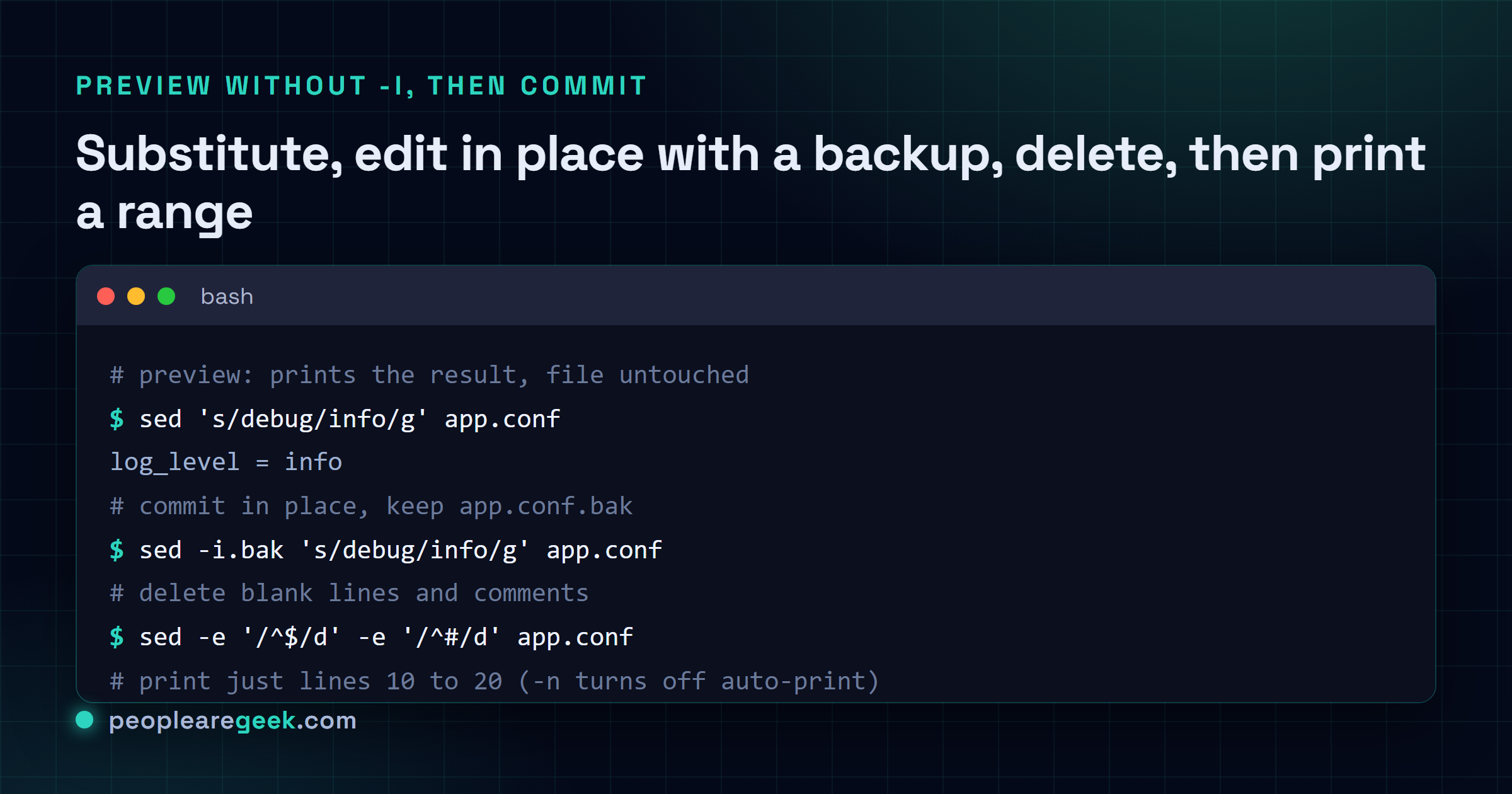
My take: always preview without -i, and reach for -i.bak when you commit. The single best habit with sed is running the command once with no
-i, reading the output, and only then adding-i(or better,-i.bak) to write it back. It costs two seconds and saves you from the one edit that matched more than you thought. The second habit worth building is switching the delimiter the moment your pattern has a slash in it:s#/old/path#/new/path#greads cleanly, while the all-slashes version is a wall of backslashes you will misread.
Where to go from here
That's the working set. Substitute, edit in place, delete, print, scope with addresses, and stack commands with -e. Most real sed usage is some mix of those, and the rest you look up like everyone else.
If your day involves more than substitution, the same instinct carries over. Hunting for files to feed into sed in the first place? See our find command cheatsheet. Pulling matching lines out of logs before you rewrite them? Different tool, same muscle memory: keep a good cheatsheet nearby and stop memorizing flags.
Frequently asked questions
How do I replace text in a file with sed?
Use the s command: sed -i "s/old/new/g" file.txt replaces every occurrence of old with new directly in the file. The s means substitute, the g flag means every match on a line not just the first, and -i writes the change back. Run it once without -i first to print the result to the screen and confirm it does what you expect, because -i has no undo.
How do I edit a file in place with sed?
Add the -i flag, as in sed -i "s/foo/bar/g" config.txt. GNU sed also lets you keep a backup by giving -i a suffix with no space, so sed -i.bak "s/foo/bar/g" config.txt writes the change and leaves the original as config.txt.bak. On macOS or BSD sed the syntax differs: you must write -i "" for no backup, which is the single most common cross-platform gotcha.
How do I delete lines with sed?
The d command deletes. sed "/pattern/d" file removes every line that matches the pattern, sed "3d" file deletes line 3, and sed "2,5d" file deletes lines 2 through 5. Add -i to make the deletion permanent in the file. As always, run it without -i first so you can see exactly which lines would disappear.
How do I print only specific lines with sed?
Pair -n with the p command. The -n flag tells sed to stop auto-printing, then p prints only what you select: sed -n "5p" file prints line 5, sed -n "10,20p" file prints lines 10 through 20, and sed -n "/error/p" file prints only the matching lines. Without -n you would see those lines twice, once from the auto-print and once from p.
What is the difference between sed and a real text editor?
sed is a stream editor: it reads input line by line, applies your commands, and writes the result out, with no interactive screen. That makes it ideal for scripted, repeatable edits across many files or inside a pipeline, where opening vim or nano by hand would be slow and impossible to automate. For one-off hand edits a regular editor is friendlier, but for find and replace across a tree, sed wins.